 Retirement Planner Guide
The table view
The Table tab under the chart shows the projection as numbers, one row per age. Use it to check a particular year, or to copy the figures into a spreadsheet.
Basic and Detailed
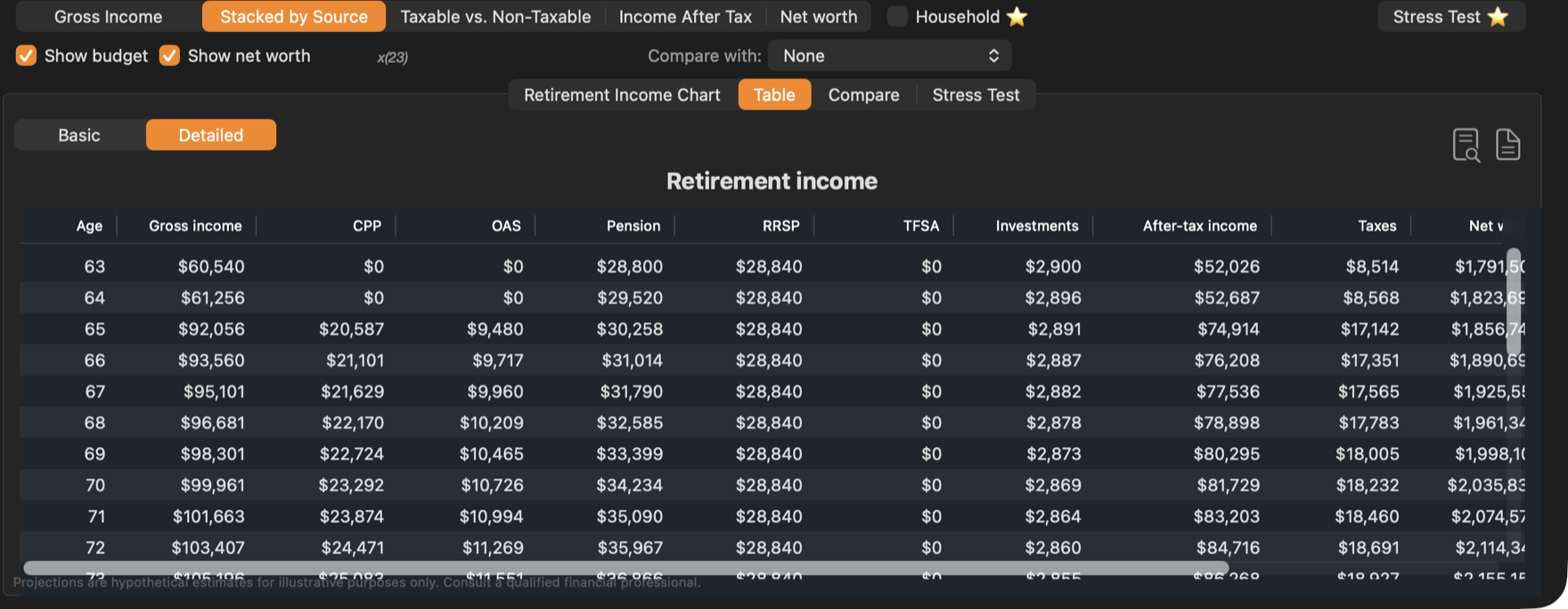
Choose Basic for the totals or Detailed for a column per income source.
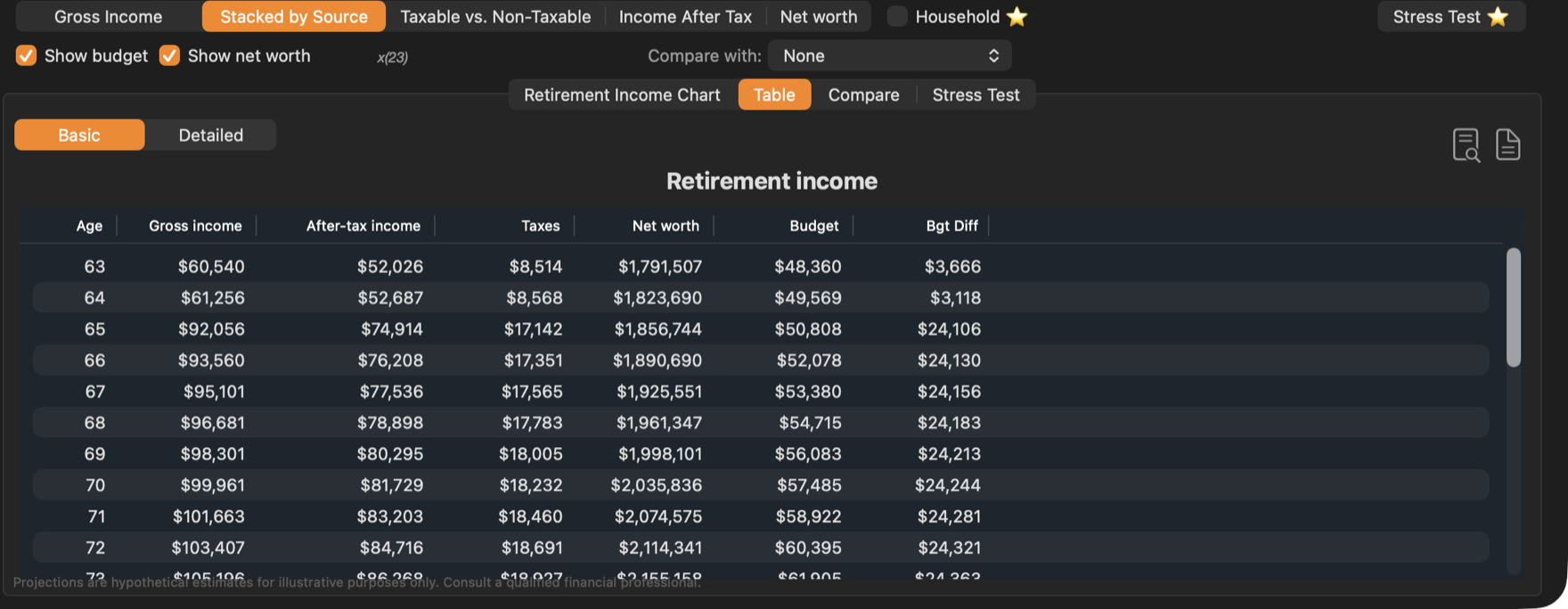
| Column | Meaning |
|---|---|
| Age | The client’s age that year. |
| Gross income | All income before tax. |
| After-tax income | Gross income less tax and the OAS clawback — what there is to spend. |
| Taxes | Federal and provincial tax for the year. |
| Net worth | Accounts and property less debts, at the end of the year. |
| Budget | The year’s budget (when the strategy has one). |
| Bgt Diff | After-tax income less the budget: positive is a surplus, negative a shortfall. |
The Detailed table adds a column for each source with income — CPP, OAS, GIS, Pension, RRSP, TFSA, Business and Investments.
Export and copy
- The two buttons at the top right preview the table as a PDF, or export it to a PDF file.
- Right-click the table to Copy as CSV or Copy as JSON, or to save it with Save as CSV… or Save as JSON…. CSV opens in Numbers or Excel.
Every income-source tab has its own table, with the same buttons.
With Compare with set, the Detailed table shows both strategies side by side with the difference. See Comparing strategies. To see up to four strategies year by year, use the Compare tab. See Year by year. In household mode, the table shows both spouses. See Household mode.