 Retirement Planner Guide
Canada Pension Plan (CPP)
The CPP tab estimates the Canada Pension Plan retirement pension — or the Quebec Pension Plan for clients in Quebec — and shows what changes when it starts earlier or later. Two start ages can be compared side by side, with the age at which waiting pays off.
How the pension is estimated
The estimate comes from the CPP tab of the client’s profile, which offers two ways:
- Assume max. contribution since start age — the quick way. Enter the Contribution start age; the app assumes earnings at the yearly maximum from then until contributions stop.
- Detailed contribution record — the accurate way. Enter each year’s contributions from your Service Canada statement: Year, Amount (CPP contributions) and Enhanced (CPP2) (second additional contributions, from 2024). The app adds them up as Total and in today’s dollars.
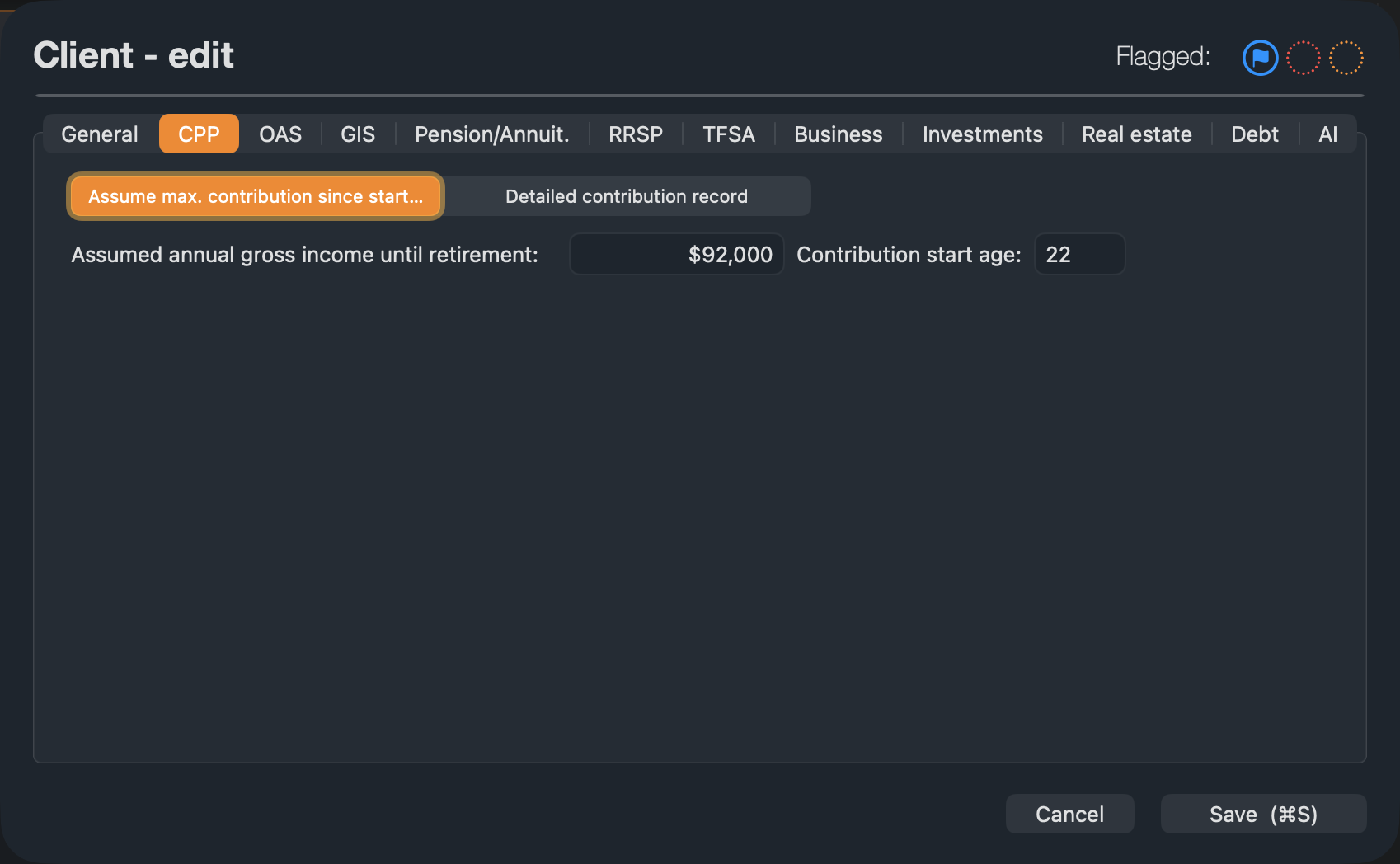
Assumed annual gross income until retirement is used to estimate the contributions still to come in the detailed record, and for the RRSP contribution limit.
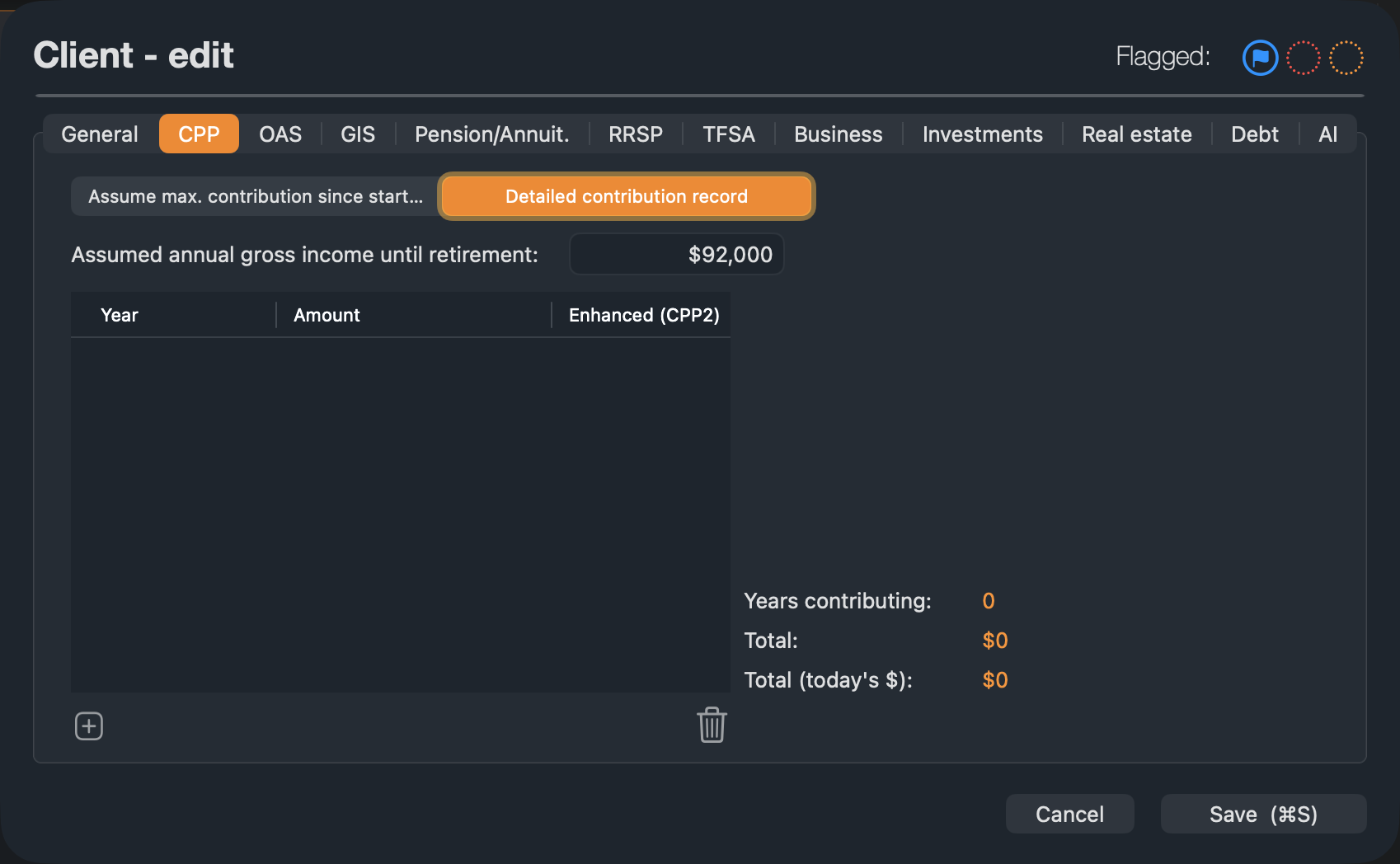
The estimate includes the CPP enhancement that began in 2019 and the second earnings ceiling from 2024. Province Quebec switches the client to QPP rules and labels.
The CPP tab
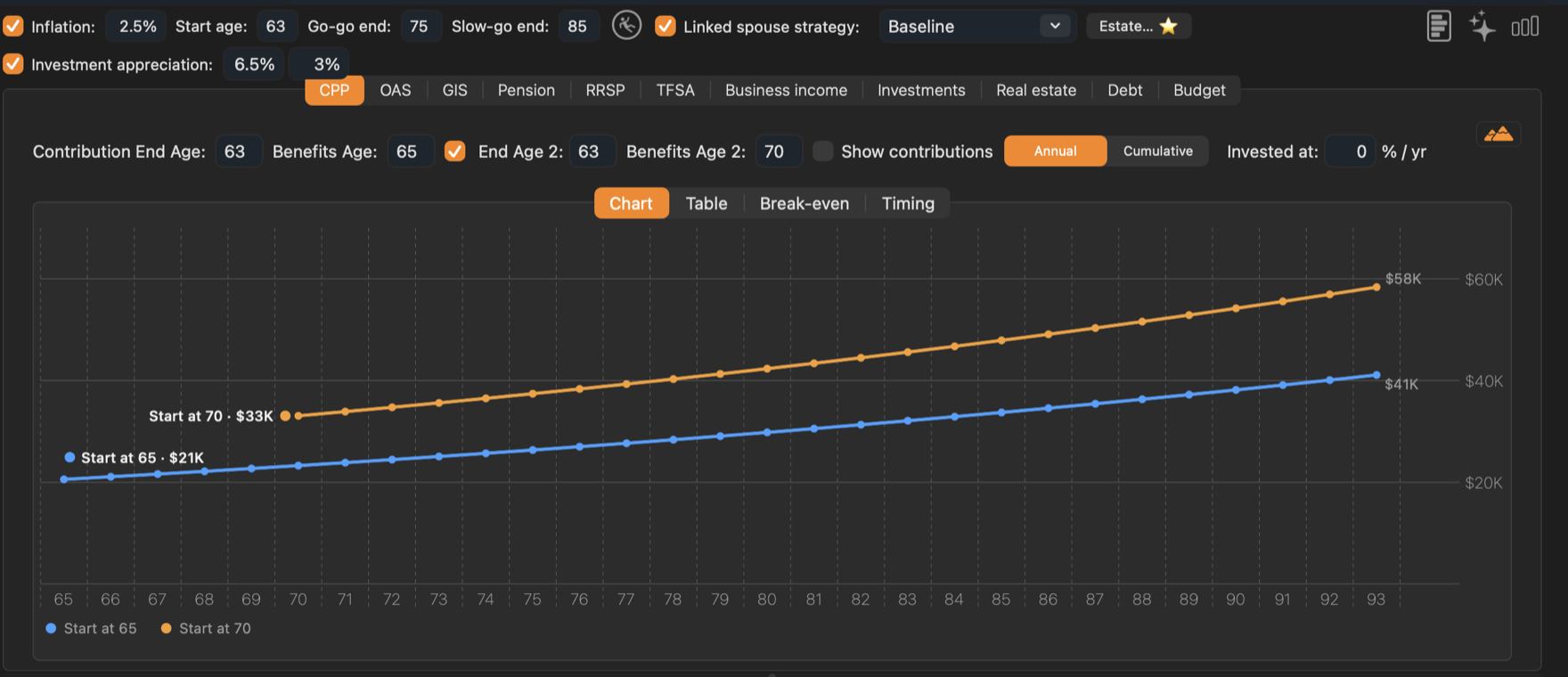
- 1Contribution End Age. The age contributions stop — usually the age work stops.
- 2Benefits Age. The age the pension starts, from 60 to 70 (QPP: up to 72).
- 3Second option. Tick to compare a second pair of ages, End Age 2 and Benefits Age 2.
- 4Show contributions and Annual / Cumulative. Add past and future contributions to the chart (detailed record only), or show running totals instead of yearly amounts.
- 5Invested at. A return earned on payments received earlier, used by the break-even comparison.
The pension changes by 0.6% for every month it starts before 65 (36% less at 60) and by 0.7% for every month after 65 (42% more at 70). QPP rules differ: it can start as late as 72. The chart shows each option in the dollars of each year. Hold the pointer over an age to see both amounts and the difference.
The button at the top right of each chart switches between bars, a line and a shaded area.
Table
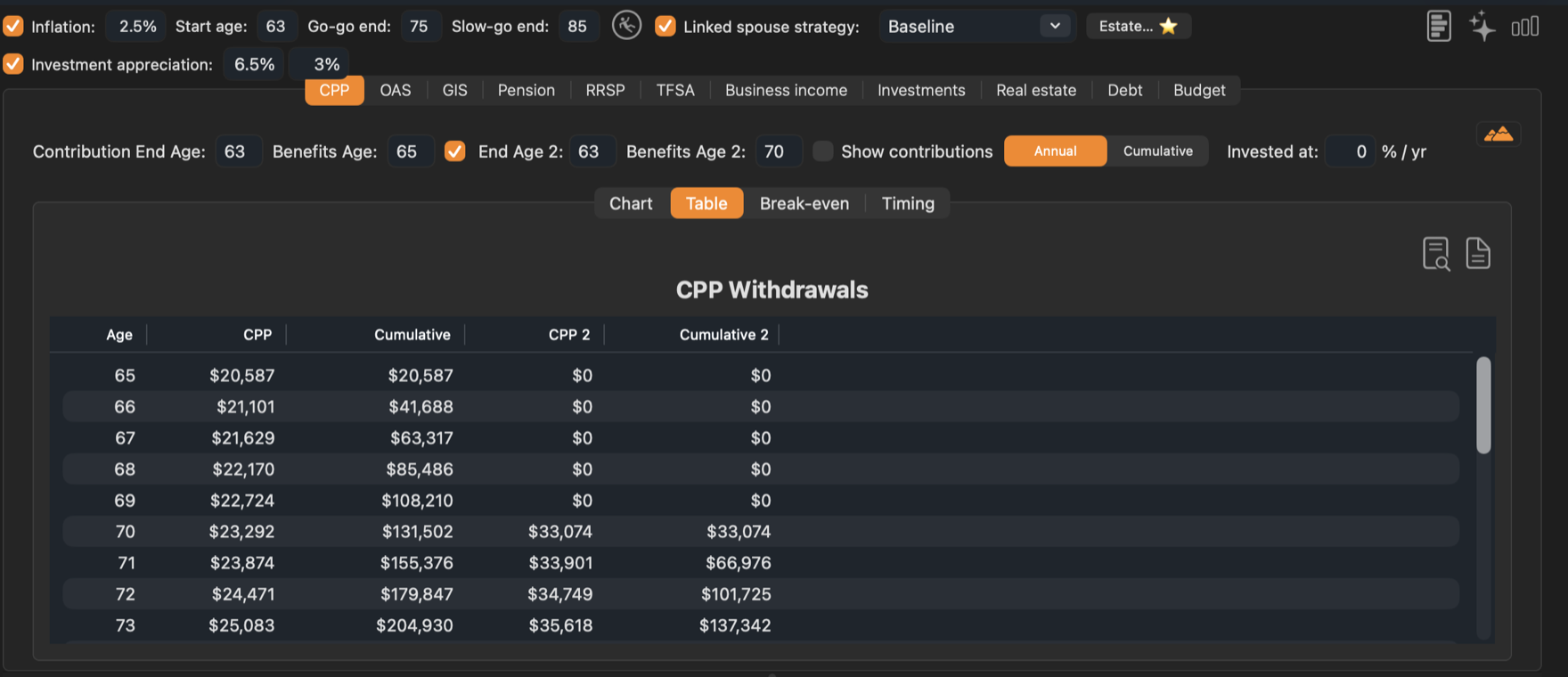
The Table tab lists each age with CPP and Cumulative, plus CPP 2 and Cumulative 2 for the second option. The two buttons at its top right preview the table as a PDF or export it to a file.
Break-even: is waiting worth it?
Starting later pays more each year but for fewer years. The Break-even tab adds up both options and finds the age after which the later start stays ahead.
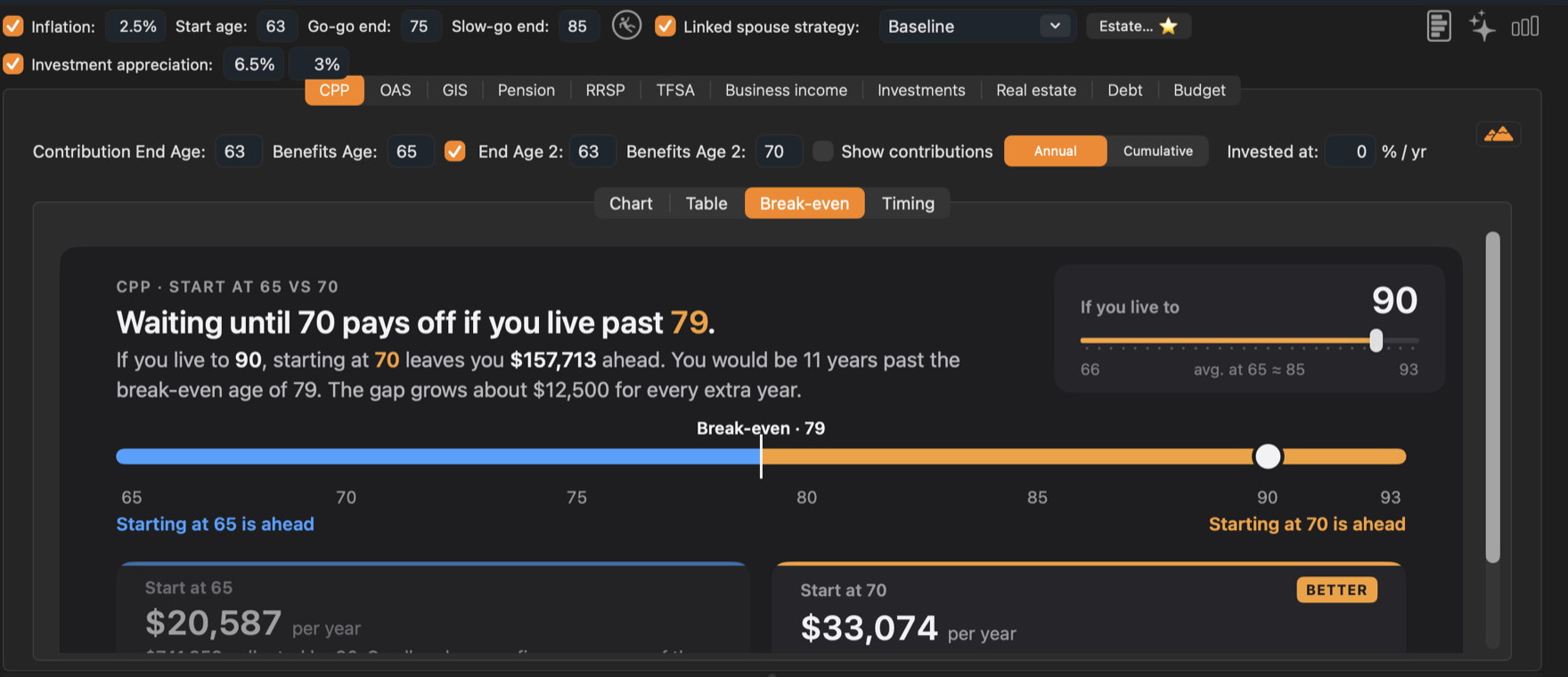
- The headline gives the break-even age, or says that one option is ahead at every age.
- If you live to — drag the slider to a lifespan. The sentence and the two cards show how far ahead each option is by then. At 90, starting at 70 leaves Graham $157,713 ahead.
- The cards show each option’s first full year — $20,587 at 65 against $33,074 at 70 — and mark the better one.
- Invested at — the default of 0% assumes early payments are spent. Enter a return to assume they are invested instead; this pushes the break-even age later.
If the tab is empty, tick the second option and give it a different start age, or click Turn on the second option.
The “If you live to” age and the “Invested at” rate are shared with the OAS tab, so both comparisons use the same assumptions.
Timing: when to stop and when to start
The Timing tab lays out every combination at once. Each row is an age contributions stop; each column is an age the pension starts, with its calendar year. The outlined cell is the current plan.
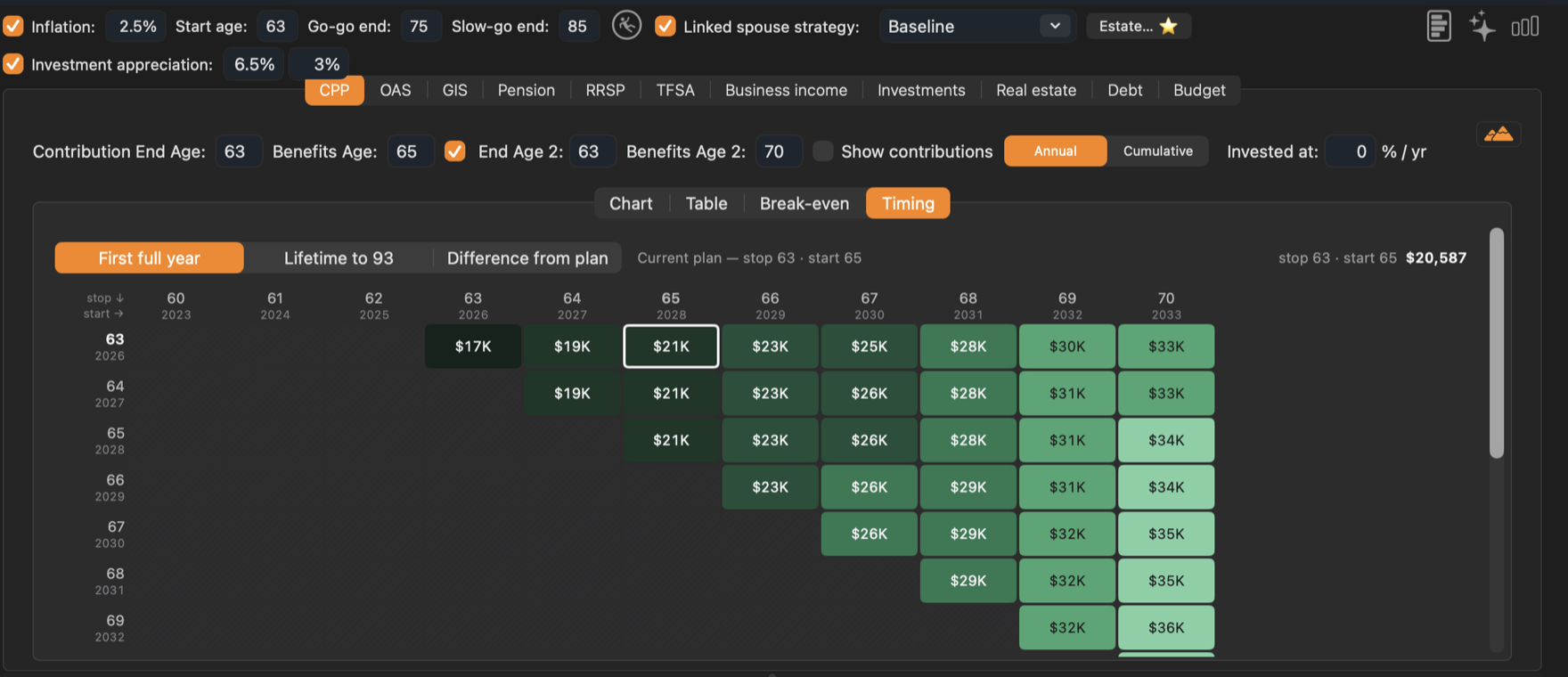
- First full year shows the first year’s pension for each cell.
- Lifetime to shows the total paid up to the client’s planning age.
- Difference from plan shows each cell’s first-year pension against the current plan’s: green for more, orange for less.
Hatched cells — stopping after the pension has started — aren’t possible. Hold the pointer over a row to see that row as a line chart below the grid.
Survivor pension
When a client has a linked spouse strategy and the spouse reaches their planning age first, the survivor also receives a survivor pension of 60% of the spouse’s CPP. The survivor’s own pension and the survivor pension together are limited to the maximum retirement pension at 65. See Spouses and partners.