 Retirement Planner Guide
The retirement income chart
The chart at the bottom of the window adds up every income source for each year, from today to the planning age. Change anything above it — an age, a balance, a withdrawal rate — and it redraws at once.
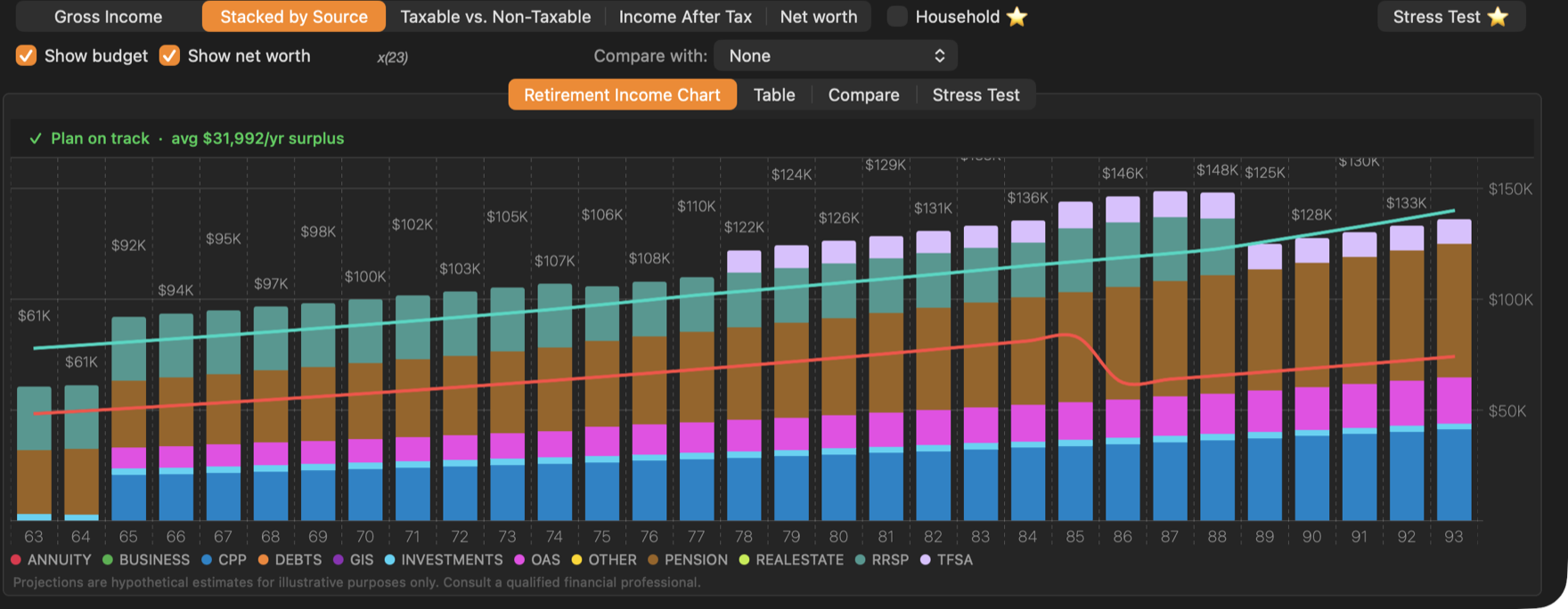
- 1Chart type. Five views of the same plan, described below.
- 2Lines. Show budget and Show net worth.
- 3Result tabs. The chart, the table and the stress test.
- 4Plan status. Whether income after tax covers the budget.
- 5Stress Test. Runs the Monte Carlo simulation.
Chart types
| Chart type | What it shows |
|---|---|
| Gross Income | Total income before tax for each age, coloured by go-go, slow-go and no-go years. |
| Stacked by Source | The same total split into CPP, OAS, GIS, pension, RRSP, TFSA and the other sources, one colour each. Debt repayments show below the line. |
| Taxable vs. Non-Taxable | How much of each year’s income is taxed (orange) and how much is not (blue). Tick Taxable only to see just the taxed part. |
| Income After Tax | What is left to spend after federal and provincial tax and the OAS clawback. Tick Show income taxes to see the tax instead. |
| Net worth | Accounts and property less debts at the end of each year. |
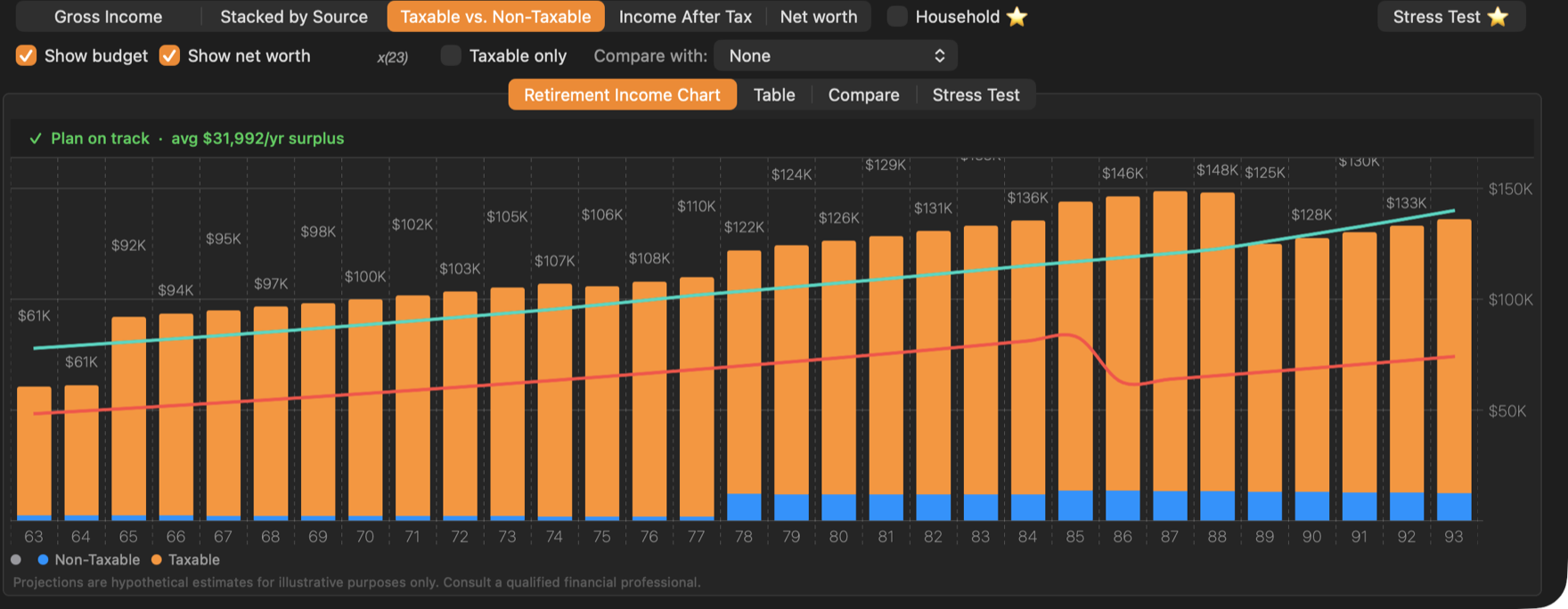
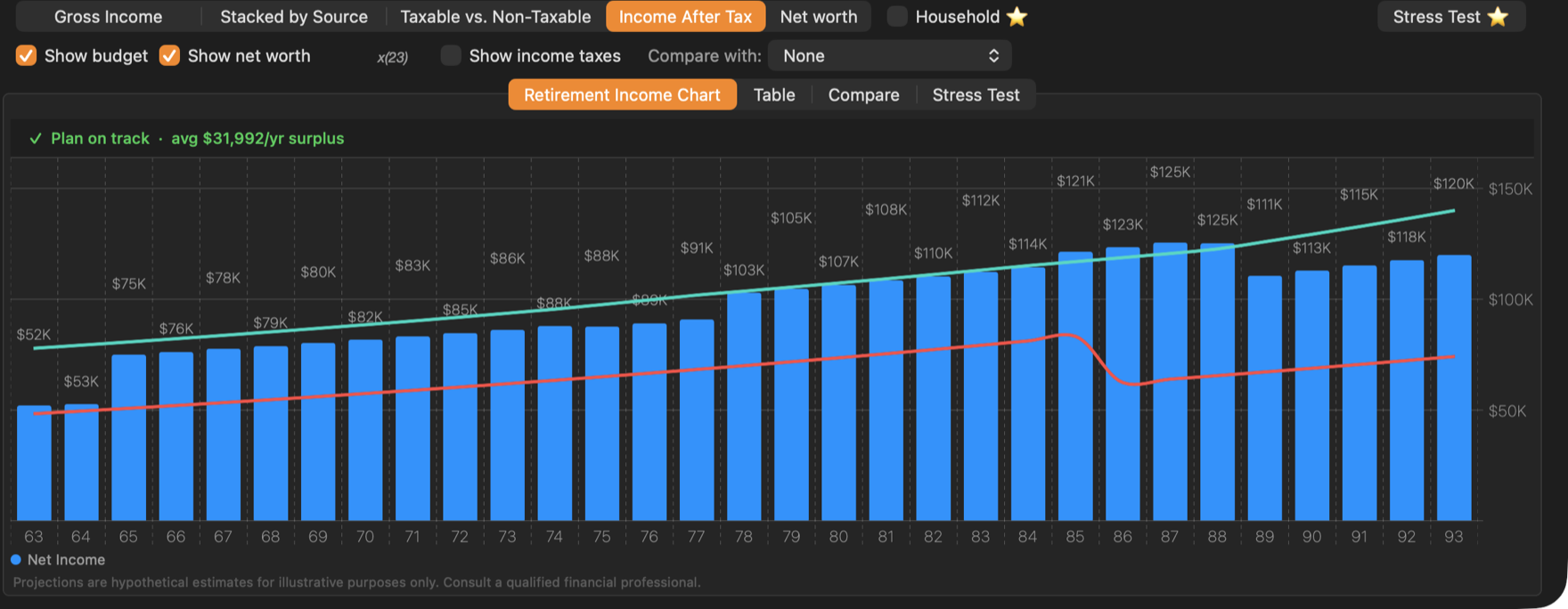
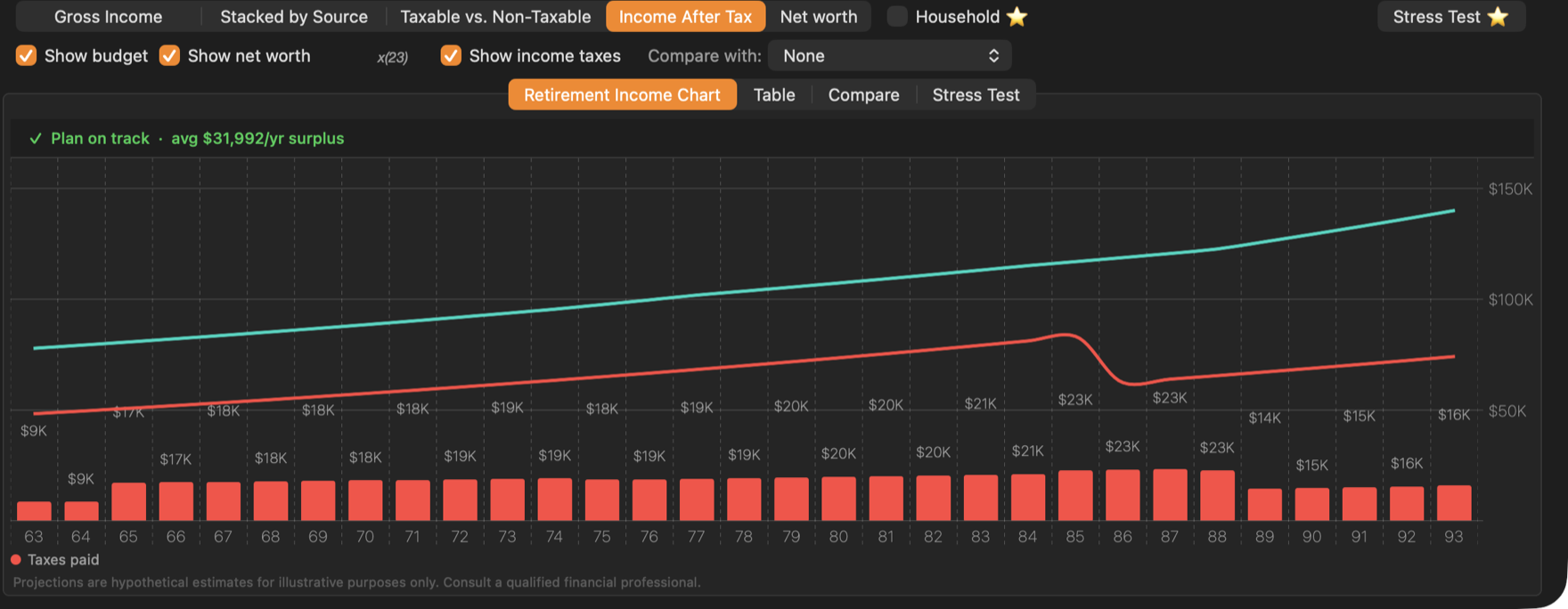
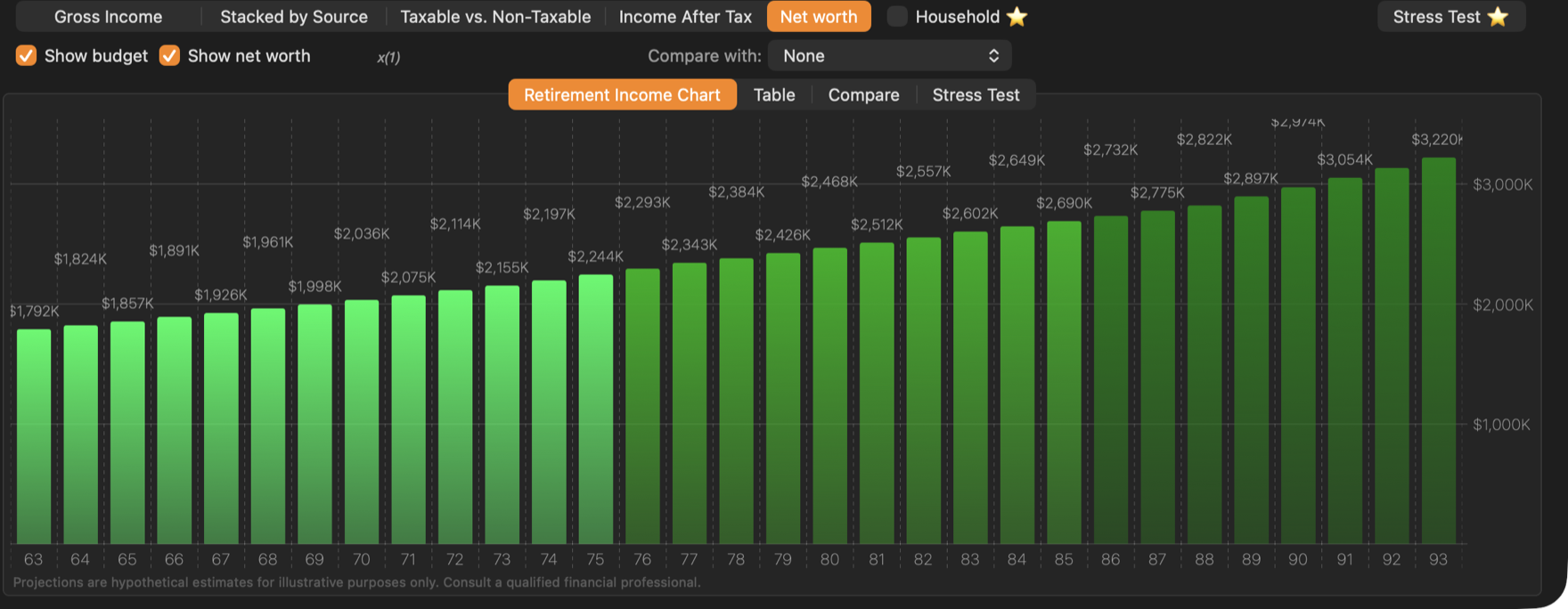
The chart type you choose stays selected when you switch clients and strategies.
Budget and net worth lines
- Show budget draws the budget as a red line, in the dollars of each year. It needs a budget on the Budget tab, and isn’t shown on the Net worth chart.
- Show net worth draws net worth as a teal line. Because net worth is usually much larger than a year’s income, the line is scaled down to fit; the factor appears next to the checkbox. With x(23), multiply the line’s height by 23 to read net worth.
Plan status
With Show budget ticked, a line above the chart compares income after tax with the budget for every year from the strategy’s start age:
- ✓ Plan on track — every year is covered, and the average surplus is shown.
- ⚠ Plan runs short at age … — the first year that falls short, with the average surplus or deficit over all years.
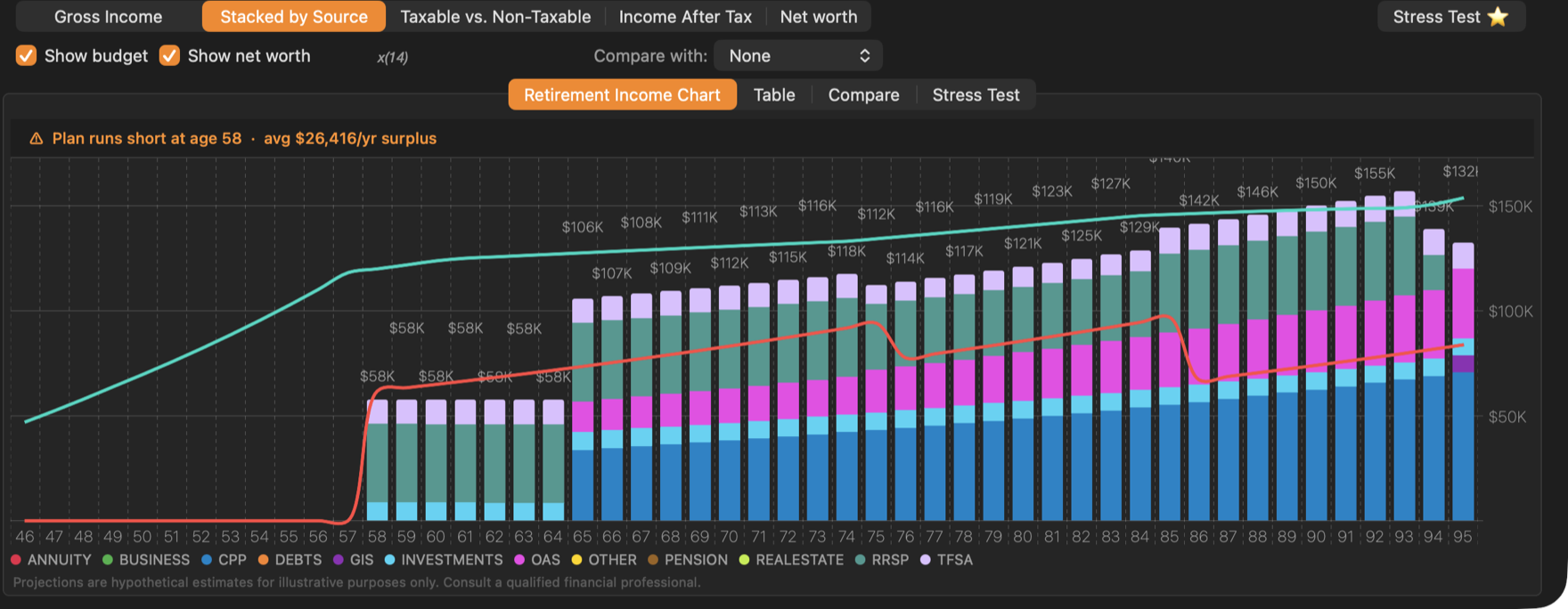
A year only counts as short when it misses the budget by more than the tolerance in Preferences ▸ General: 1% of that year’s budget unless you change it, and never less than $50 (set it to 0 to count every dollar).
Read the numbers
- Each bar is labelled with its total. Hold the pointer over a bar for a moment to see the age and the exact amount; on stacked charts, the amount of the source under the pointer.
- Right-click the chart and choose Copy to Clipboard to paste it into a document or e-mail.
To change bar widths, label sizes and the currency format, see Chart Settings.