 Retirement Planner Guide
Budget
The budget is what the client expects to spend each year in retirement. It is the yardstick for the whole plan: the income chart draws it as a line, the plan status checks every year against it, and the withdrawal experiments size withdrawals to meet it.
The Budget tab
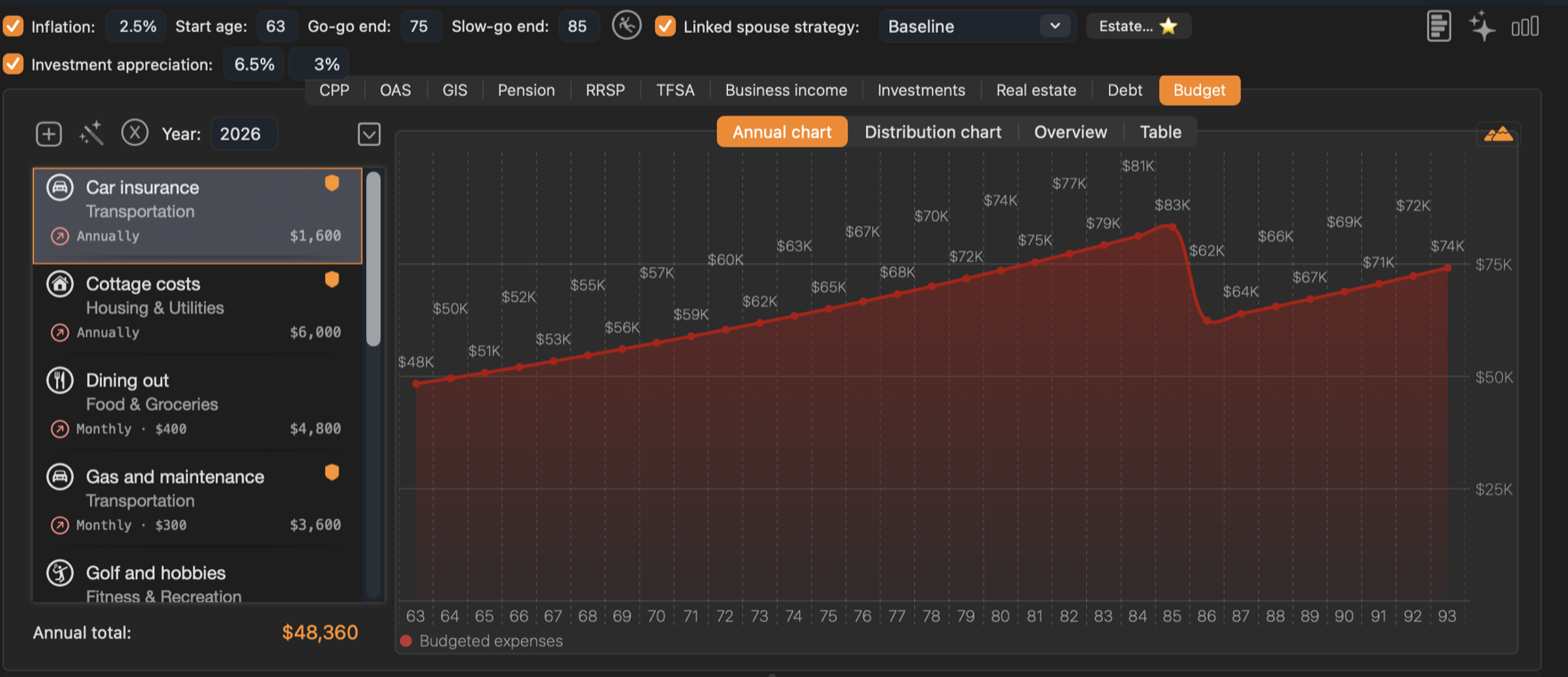
- 1Budget tools. Add an entry, create a budget with the wizard, or clear all entries.
- 2Entries. Each expense with its category, how often it is paid and its yearly amount. Double-click to edit.
- 3Annual total. Monthly and annual entries added up, in today’s dollars.
- 4Views. Annual chart, Distribution chart, Overview and Table.
A new strategy starts with an empty budget. Without one, the income chart has no budget line and the plan status and withdrawal experiments aren’t available.
Add an entry
- Click the + button above the list.
- Enter a Name and choose a Category.
- Choose the Frequency — Monthly, Annual or One time — and the Amount in today’s dollars.
- Set the Age range it applies to, with the slider or the two fields.
- Tick Essentials for needs rather than wants, and Inflates for amounts that rise with prices. Click Save (⌘S).
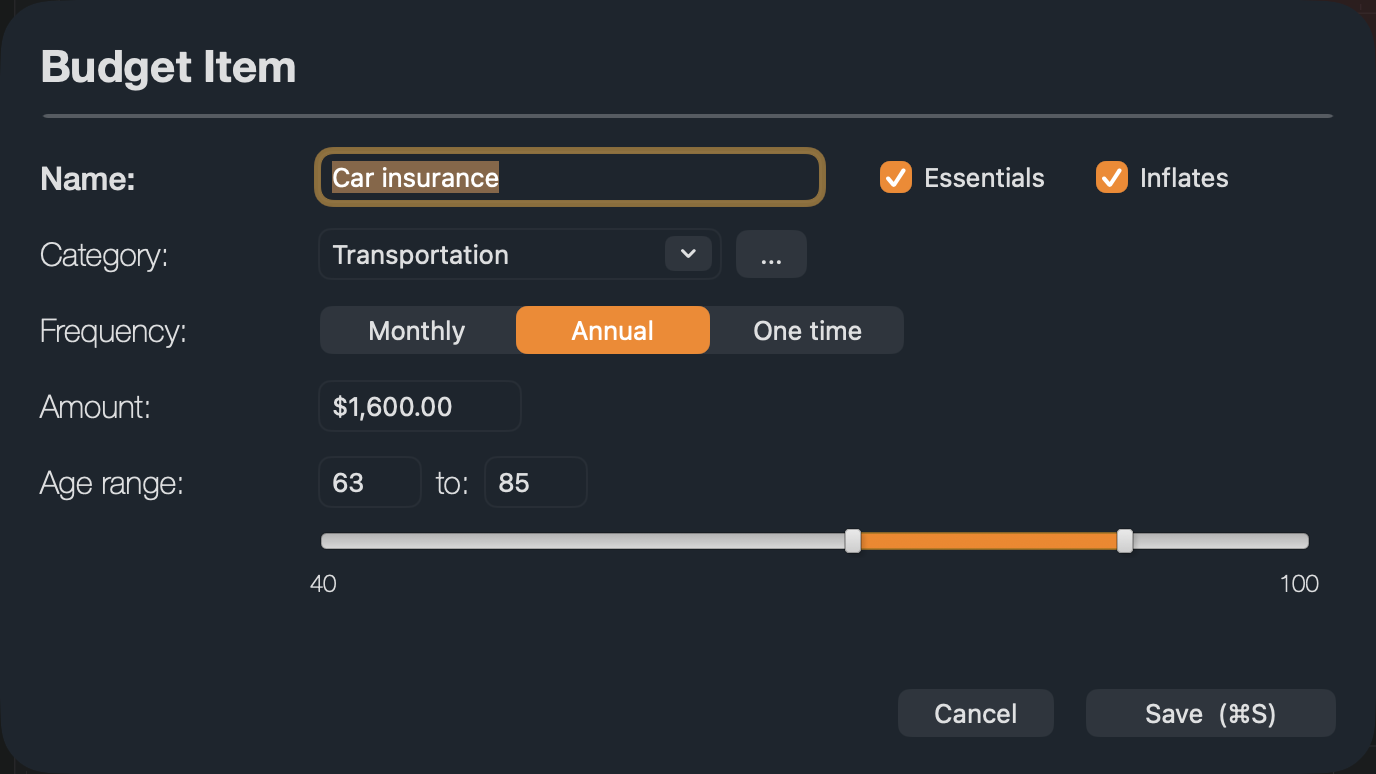
- Age ranges let spending change through retirement: travel from 63 to 75 and a smaller travel amount from 76 to 85, or car costs that stop at 85.
- Inflates — leave it ticked for most expenses. Untick it for a fixed amount, such as a loan payment.
- One time amounts are charged in every year of the age range, so give a one-time expense the same start and end age.
- The … button next to Category adds, renames or removes categories. Categories belong to the client and are shared by all their strategies.
Create a budget with the wizard
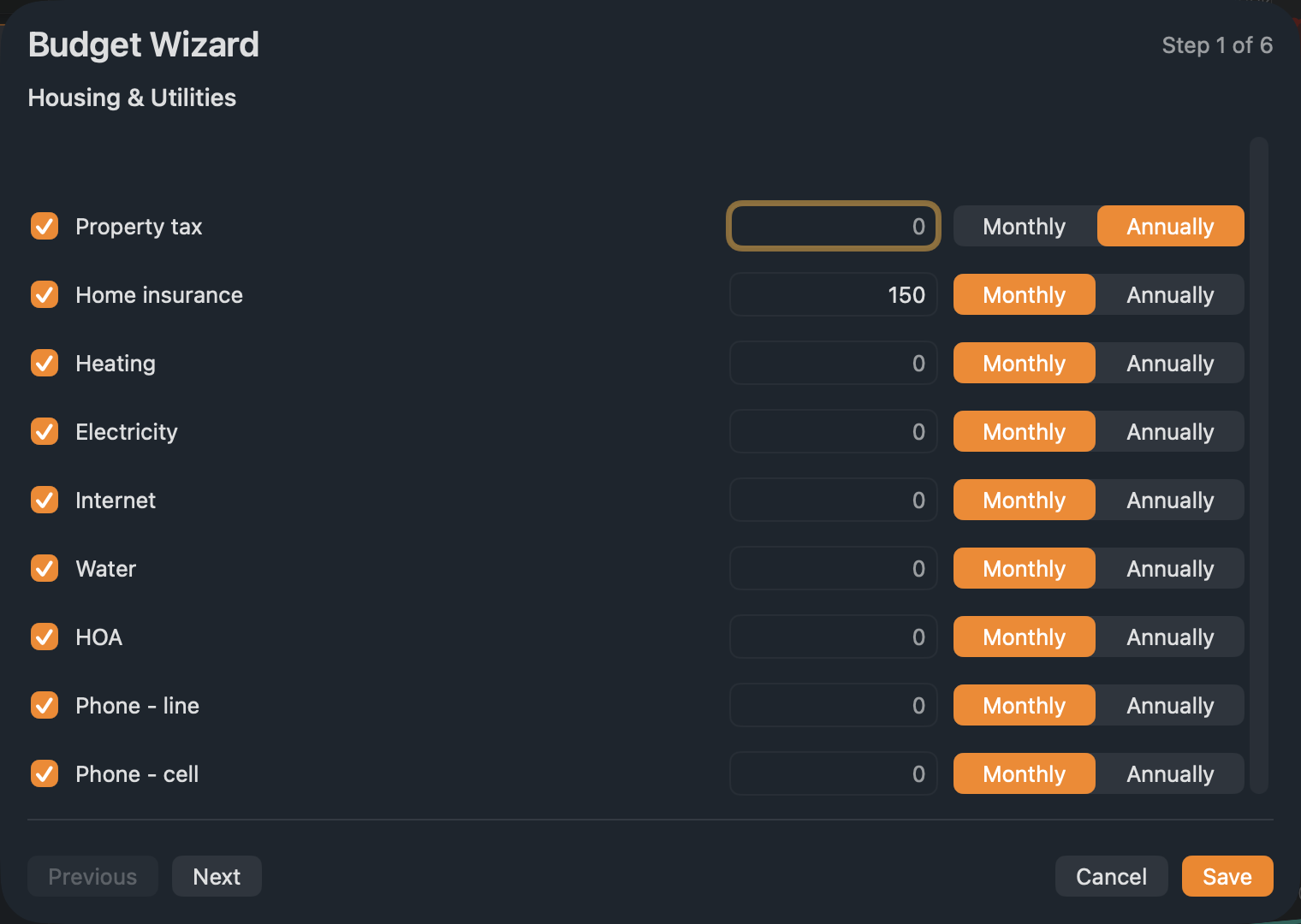
The wizard builds a budget from common expenses in six steps: housing and utilities, food, transportation, fitness, travel, and personal care. Click the wand button above the list, enter amounts for the lines that apply, and click Next to move on. Lines left at zero are skipped. Click Save when you are done.
Budget views
- Annual chart — the total budget for each age, in the dollars of that year. Years before the strategy’s start age are hatched.
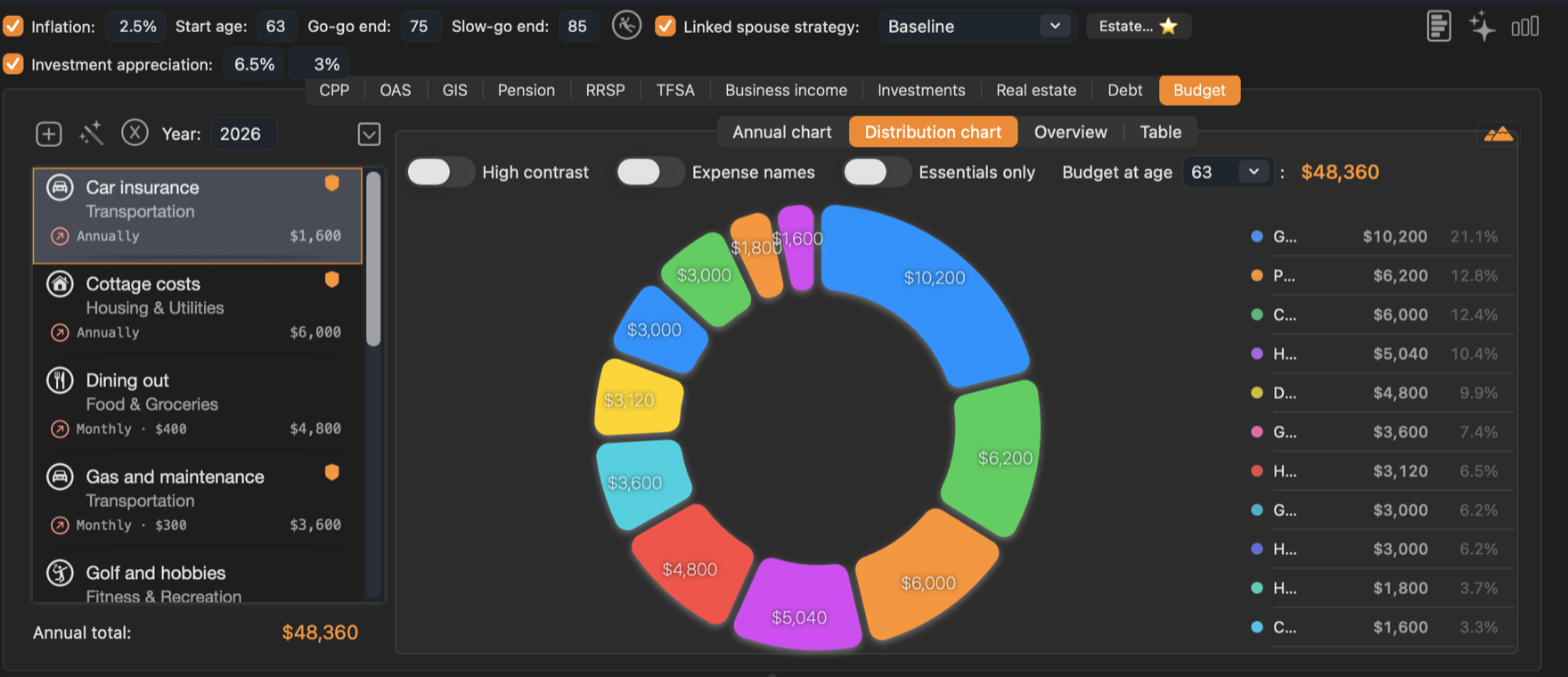
- Distribution chart — how one year’s budget splits by entry. Choose the year in Budget at age.
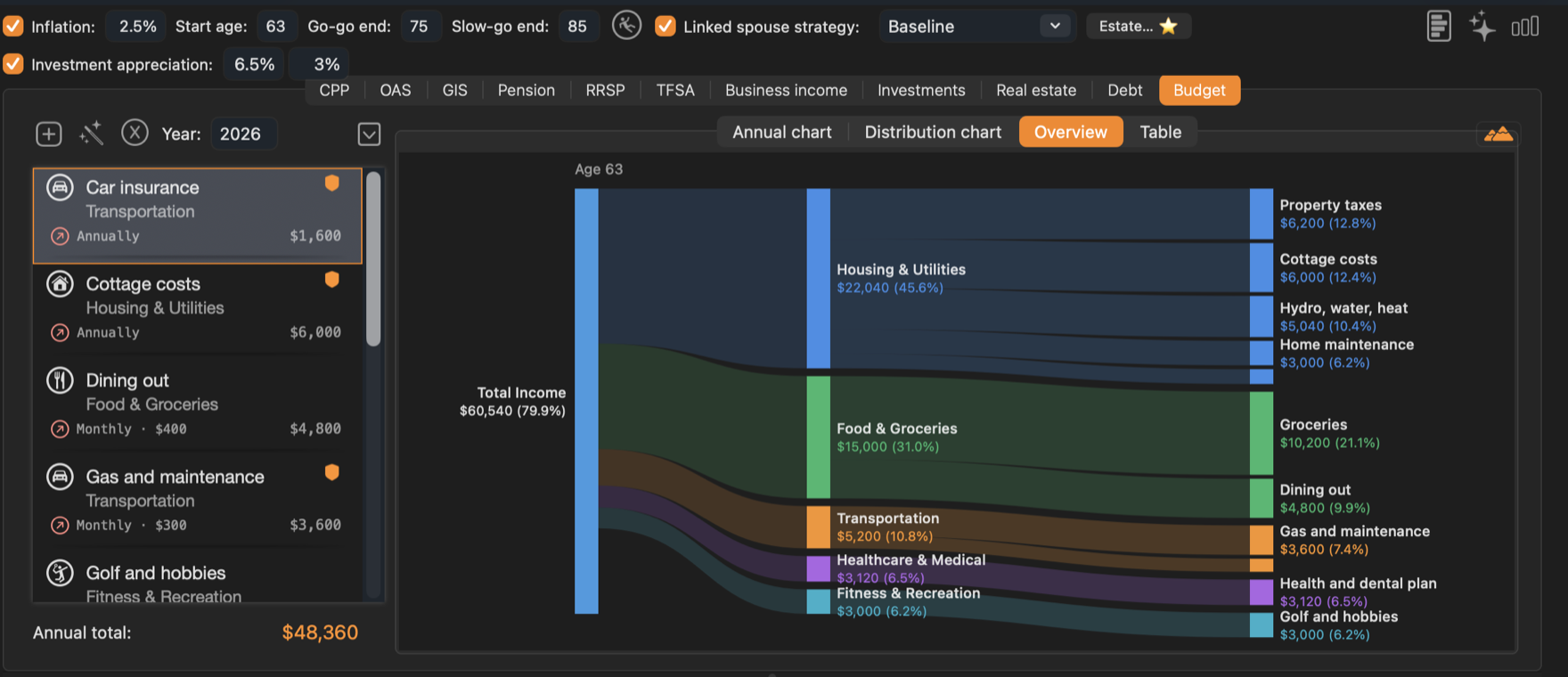
- Overview — where that year’s income goes, from total income to categories to entries.
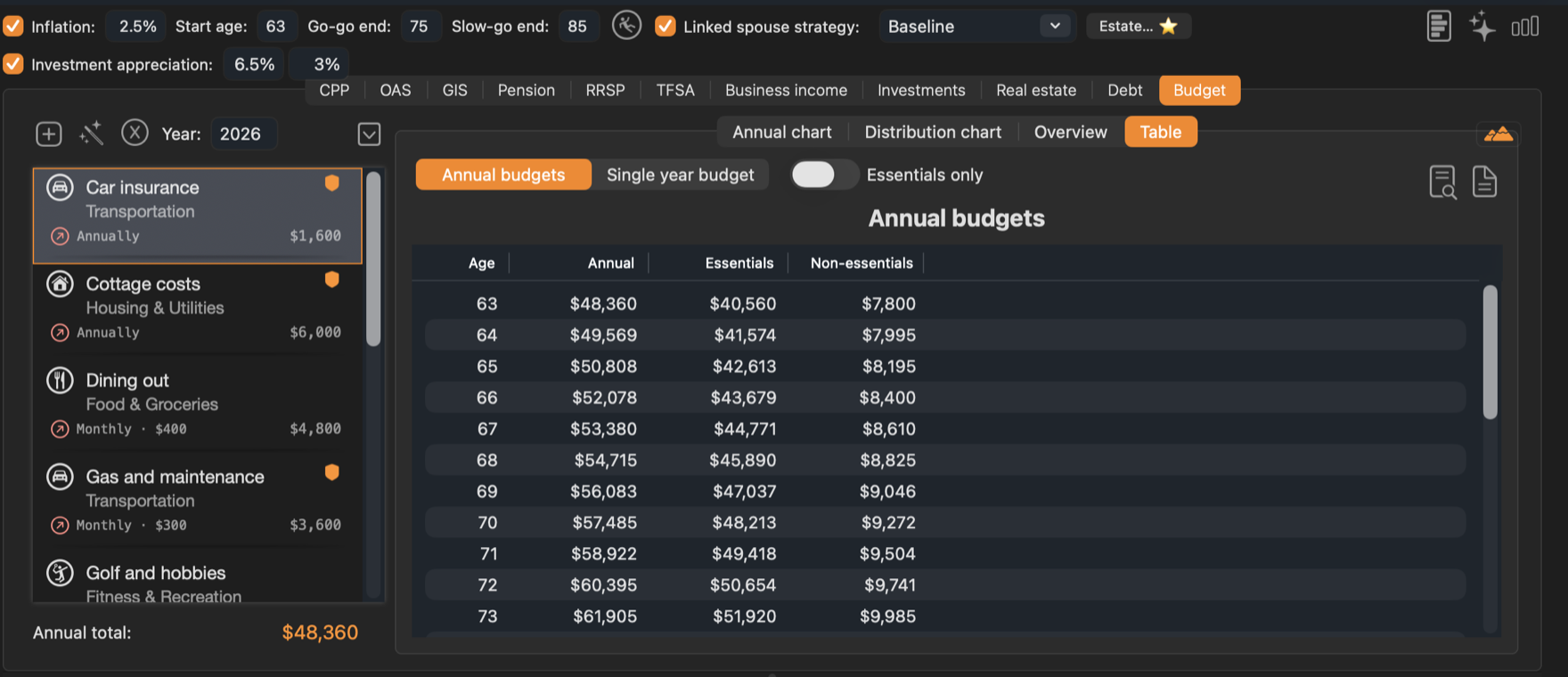
- Table — Annual budgets by age, split into essentials and non-essentials, or a Single year budget.
How the budget is used
For each age, every entry whose age range includes that age is added up — monthly amounts times 12 — and, when Inflation is ticked, amounts that inflate are raised by inflation from today. Only years from the strategy’s Start age are compared with income.
- The budget line on the income chart.
- The plan status above the chart.
- The Budget and Bgt Diff columns of the table.
- The withdrawal experiments, which need a budget to run.
- For couples in household mode, each spouse’s budget is counted from their own start age.
To use the same budget in another strategy, right-click the strategy and choose Copy Budget to Strategy…. See Strategies.