 Retirement Planner Guide
Debt
The Debt tab shows loans, lines of credit and mortgages paid down over time. Repayments come out of income each year, and the balance owing is subtracted from net worth.
Add a debt
- Edit the client and open the Debt tab.
- Click + and enter the Name, Balance, Monthly payment and Interest (6.9 for 6.9% a year).
- Click Save (⌘S).
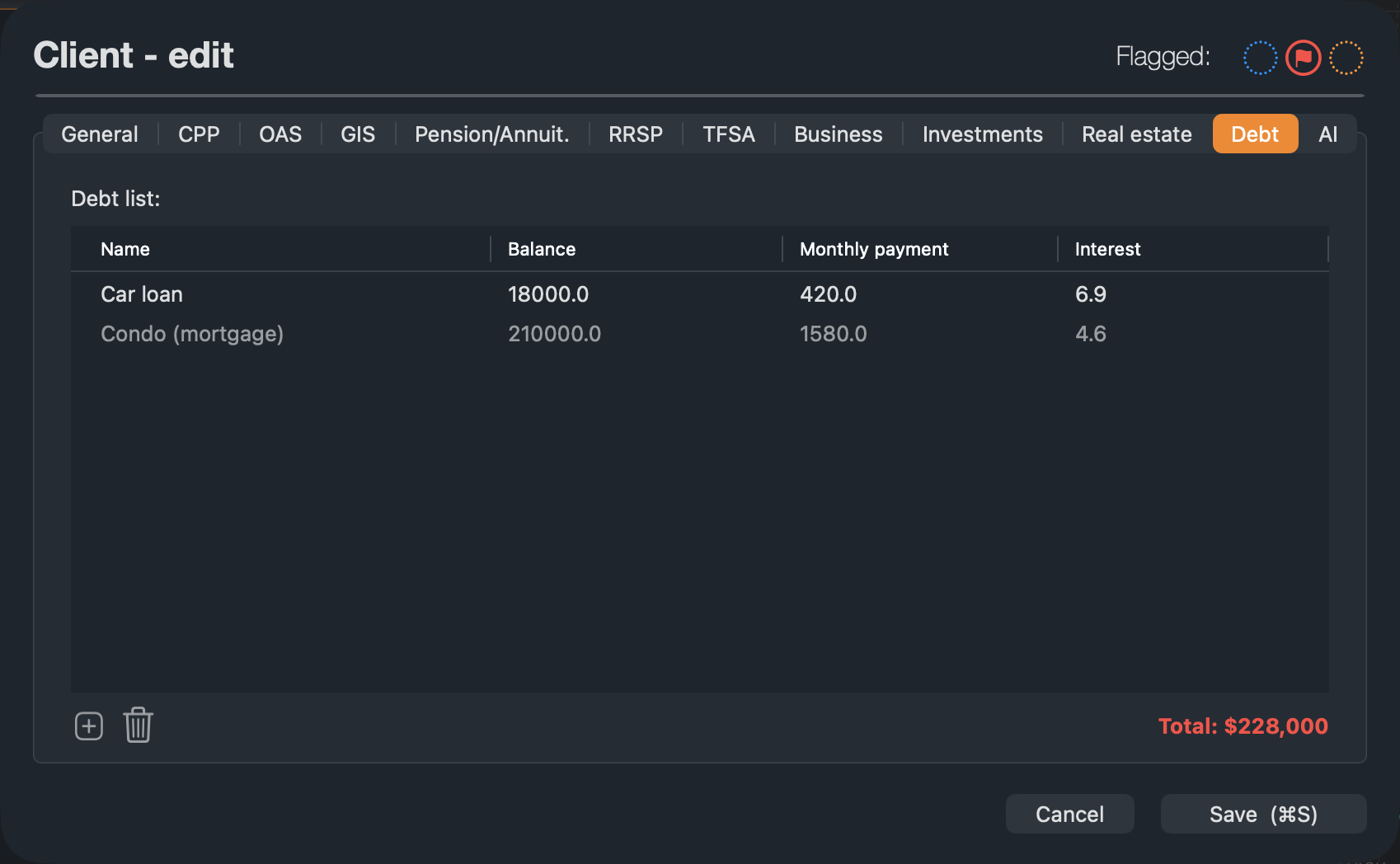
Mortgages entered on the Real estate tab appear here in grey, marked “(mortgage)”. Change them on the Real estate tab.
The Debt tab
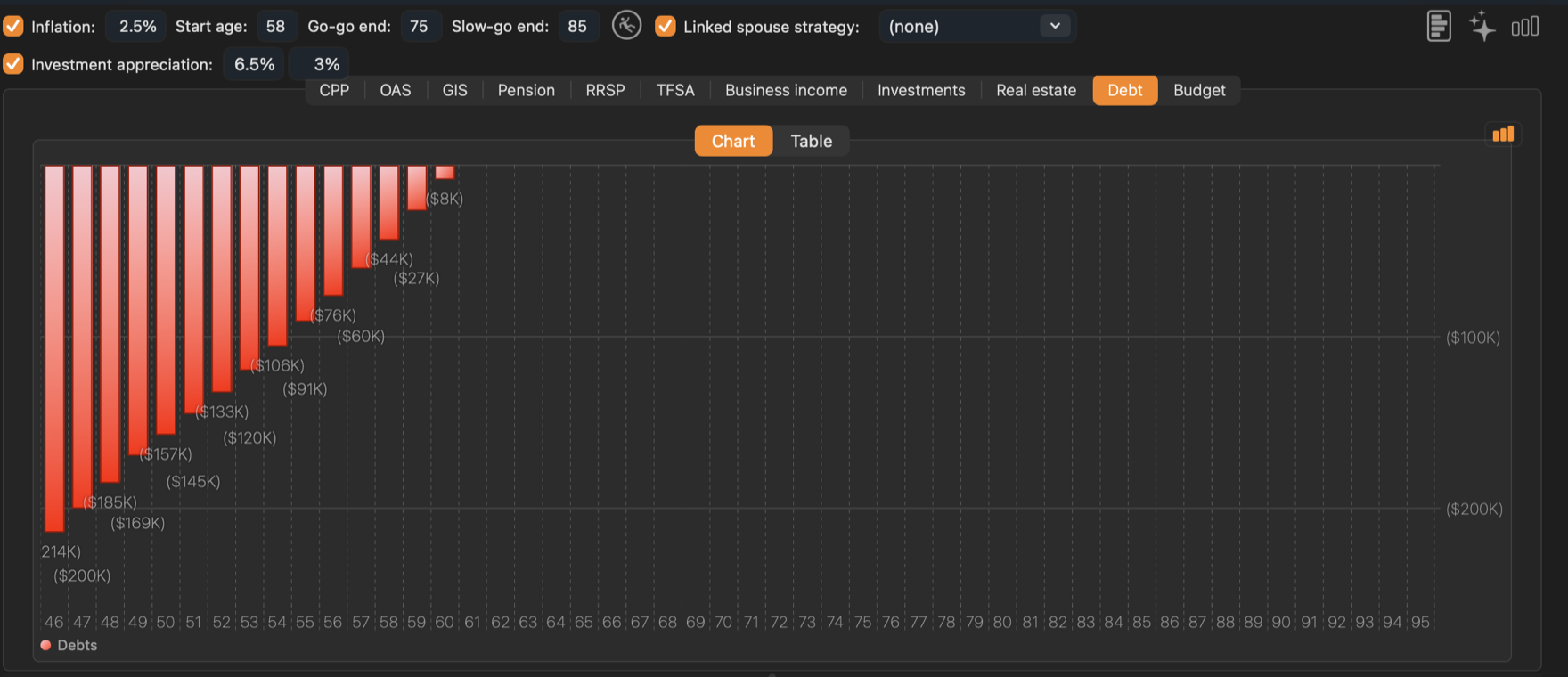
The chart shows the total owing at the end of each year, until every debt is paid off.
The Table tab lists each year’s Repayment, Cumulative repayments, Interest, Cumul. Interest and Balance, with property value and equity when there are properties.
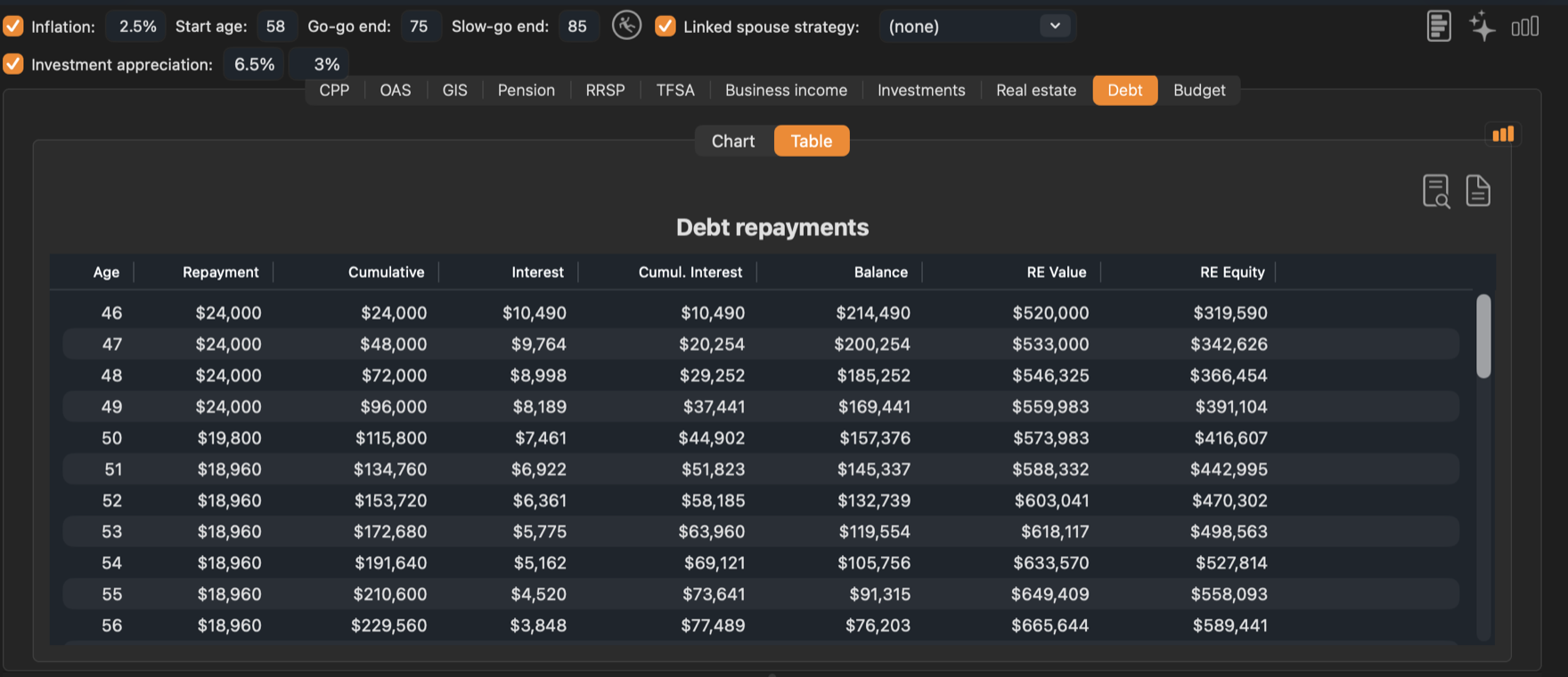
A debt is paid off when its balance reaches zero. If the monthly payment is less than the interest, the balance keeps growing.
Debt repayments count against income in the retirement income chart, so years with a mortgage need more income to stay on budget. Compare a strategy that sells or pays down a property earlier. See Comparing strategies.