 Retirement Planner Guide
Plans and purchases
Retirement Planner has two plans: Pro, for people planning their own retirement, and Advisor, for professionals with many clients. Pro can be paid yearly or bought outright; Advisor is yearly. Subscriptions start with a one-week free trial.
What each plan includes
| Pro | Advisor Advisor | |
|---|---|---|
| CPP, OAS and GIS projections, federal and provincial tax, RRSP and TFSA planning, every income source and the budget | ✓ | ✓ |
| Household planning and pension splitting | ✓ | ✓ |
| Estate & Survivorship | ✓ | ✓ |
| Comparing strategies | ✓ | ✓ |
| Withdrawal experiments and the AI withdrawal strategy | ✓ | ✓ |
| Stress test (Monte Carlo) | ✓ | ✓ |
| Client reports (PDF) | ✓ | ✓ |
| Clients | 2 | Unlimited |
| Strategies per client | 3 | Unlimited |
| Data file in a folder of your choice | ✓ |
Both plans include every feature; Advisor adds unlimited clients and strategies and the choice of folder for the data file. In the app, a 💎 marks what only Advisor includes. The AI withdrawal strategy also needs your own account with an AI provider; see AI withdrawal strategy.
Subscribe or buy
- The plans window opens on a first launch. To open it later, choose Retirement Planner ▸ Manage Subscription... and click the upgrade button, or click Upgrade when the app offers it.
- Choose Pro or Advisor.
- Choose Yearly, or One-time to buy Pro outright. Advisor is yearly only.
- Click the button to start the trial or to buy, and confirm with your Apple ID.
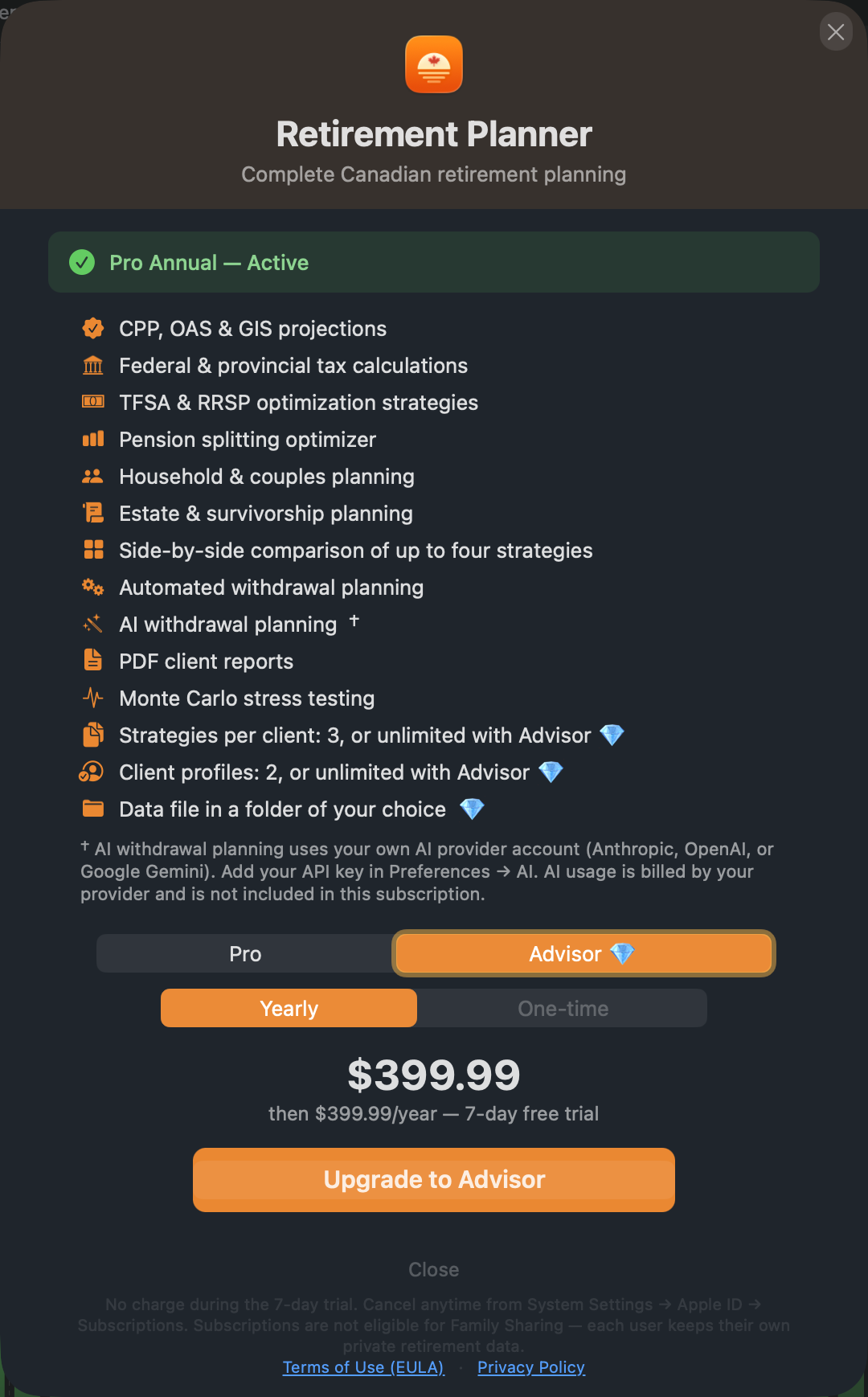
Prices are shown in your App Store currency. Purchases are made through the App Store and tied to your Apple ID.
The free trial
- Pro and Advisor subscriptions start with a one-week free trial. You are charged when it ends unless you cancel.
- The trial is offered once per Apple ID, whichever plan you start it on.
- Pro bought outright has no trial.
Manage your subscription
Choose Retirement Planner ▸ Manage Subscription..., or open Settings... and click Subscription. The pane shows your plan and its status.
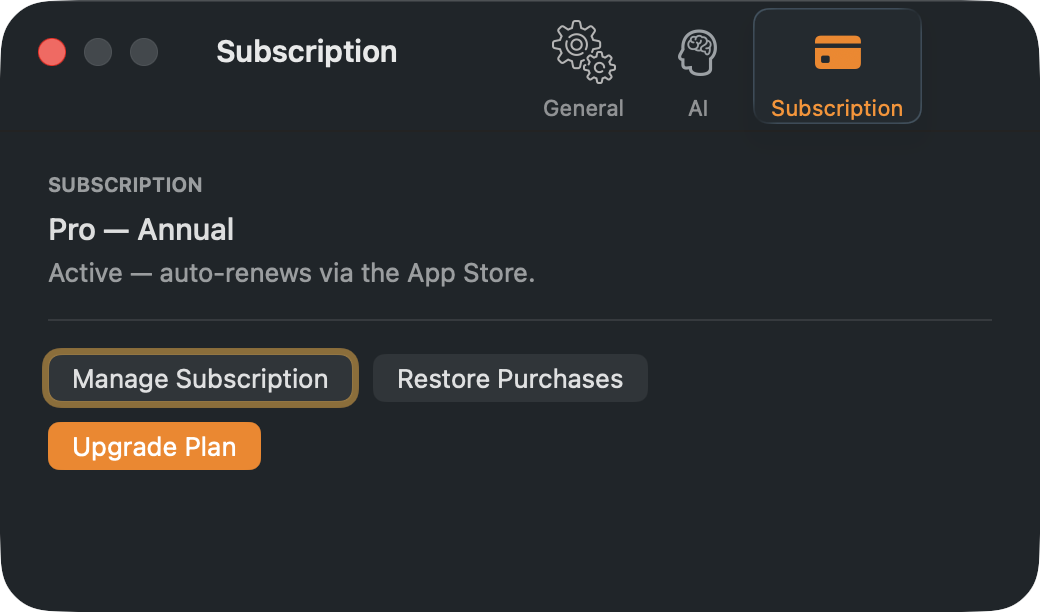
- Manage Subscription opens your App Store subscriptions, where you can change or cancel. You can also use System Settings ▸ Apple ID ▸ Subscriptions.
- Restore Purchases brings back a purchase made on another Mac with the same Apple ID.
- Upgrade Plan opens the plans window, to move from Pro to Advisor.
Changing or ending a plan
- Your data is never deleted when a plan changes. Moving from Advisor to Pro keeps every client and strategy; you can’t add more until you are under the Pro limits.
- If a subscription ends, the app asks you to renew before it opens your data. Renew, or restore the purchase, and everything is as you left it.
- Subscriptions are not shared through Family Sharing: each person keeps their own private plans.