 Retirement Planner Guide
RRSP and RRIF
The RRSP tab plans contributions, withdrawals and the switch to a RRIF. It shows the balance year by year, the yearly withdrawals, and the minimum withdrawals the CRA requires once the RRSP becomes a RRIF.
The starting balance
The balance today and the share held in stocks are part of the client’s profile, on its RRSP tab. Everything else is set per strategy on this tab.
The RRSP tab
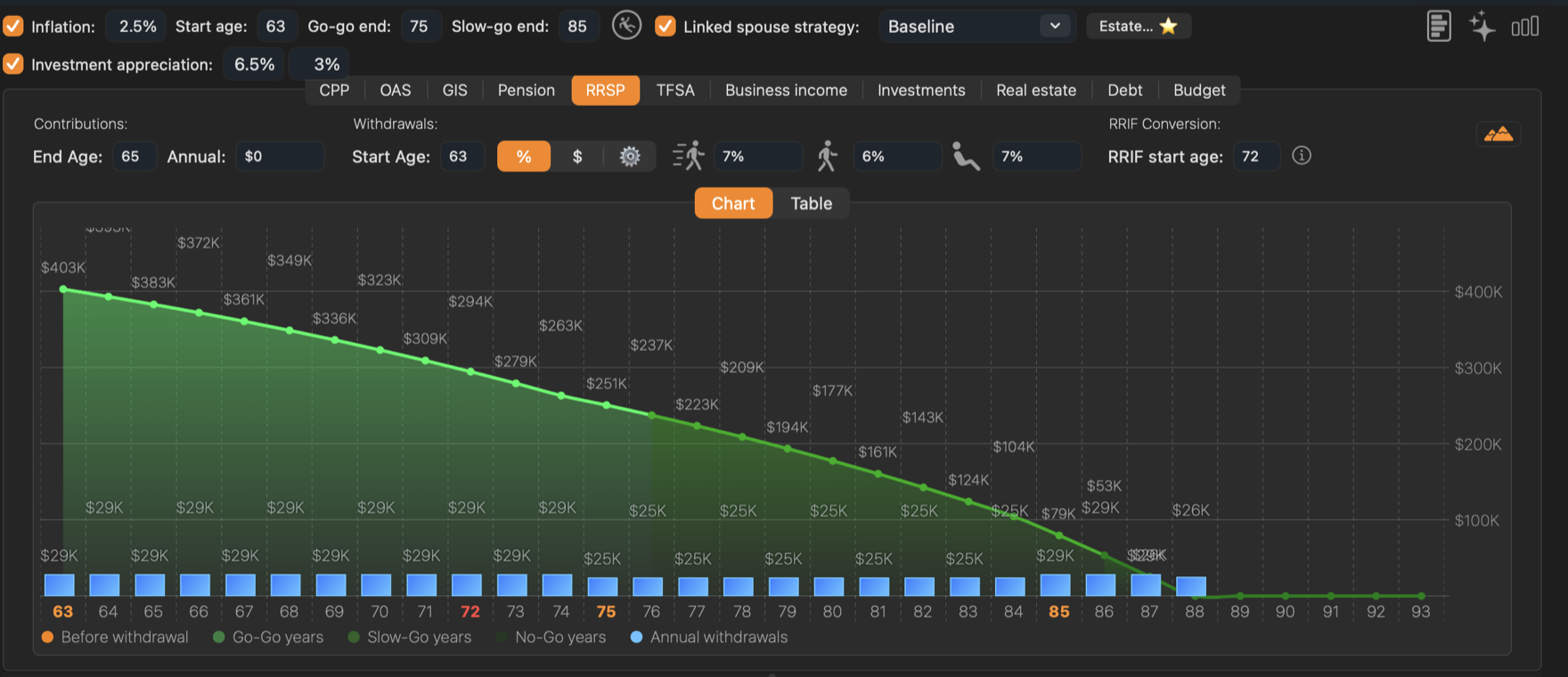
- 1Contributions. The Annual amount added each year until the End Age.
- 2Withdrawals. The Start Age and how withdrawals are set: %, $ or year by year (the gear).
- 3Go-go, slow-go and no-go. The rate or amount for each phase of retirement, shown by the three figures.
- 4RRIF start age. The first year of required minimum withdrawals.
The chart shows the balance at the end of each year as a line, coloured by phase, and each year’s withdrawal as a blue bar. Ages where a phase starts are in orange on the axis.
Contributions
Enter the Annual contribution and the End Age. Contributions are made every year up to, but not including, the end age. Use the same age as the withdrawal start age, or an earlier one.
The projection does not check your contribution room. Keep contributions within the limit on your notice of assessment.
Withdrawals
Withdrawals start at the Start Age. Choose how they are set:
- % — a percentage for each phase. Every phase’s percentage is taken of the balance in the first withdrawal year, and that dollar amount is drawn every year of the phase. Graham’s 6% for the slow-go years is 6% of his $412,000, about $25,000 a year.
- $ — a dollar amount for each phase, in today’s dollars. It grows with inflation.
- The gear — a different amount for every year. Click Edit ... to open the year-by-year table.
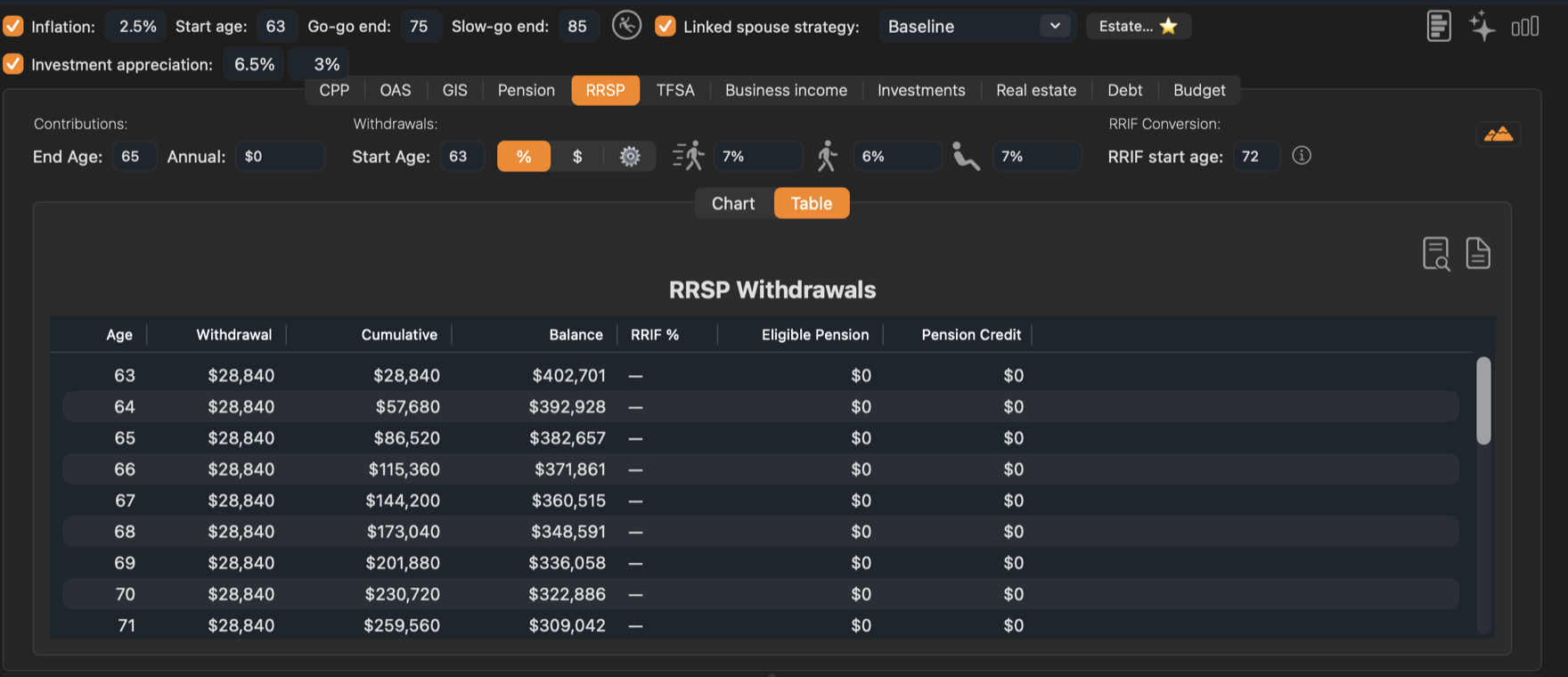
The Table tab lists Withdrawal, Cumulative, Balance, RRIF %, Eligible Pension and Pension Credit for each age.
Year by year
With the gear selected, Edit ... opens Retirement Plan Adjustments: one row per age from the strategy’s start age. Type a Withdrawal ($) for any year; the end-of-year balance updates as you go. Right-click a row to fill the following years with inflation-adjusted amounts. Click OK to keep the changes.
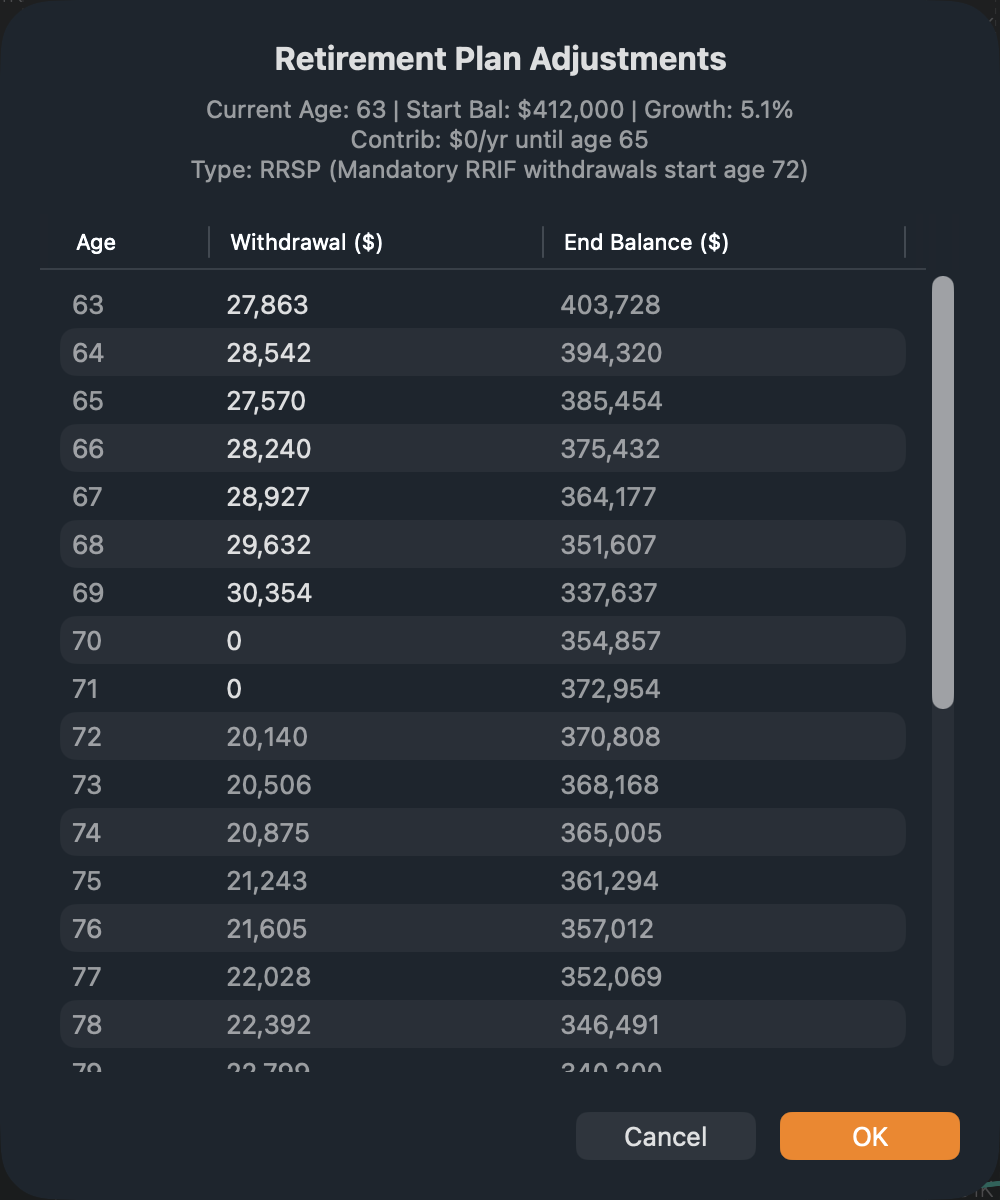
The withdrawal experiments fill this table for you. See Withdrawal experiments.
Converting to a RRIF
An RRSP must become a RRIF by the end of the year the holder turns 71. From then on, a minimum share of the balance must be withdrawn every year: 5.40% in the first year at the default start age of 72, rising each year to 20% at 95. Retirement Planner never withdraws less than the minimum, whatever you enter.
RRIF start age is the first year of minimum withdrawals: 72 by default. You can lower it to as early as 65 to convert early.
Why convert early?
RRIF withdrawals from 65 count as eligible pension income. That unlocks the federal pension income tax credit (on up to $2,000 a year), and lets spouses split the income. Click the ⓘ button next to the RRIF start age for an explanation and an estimate of the tax saved; it turns green when converting early would save tax.
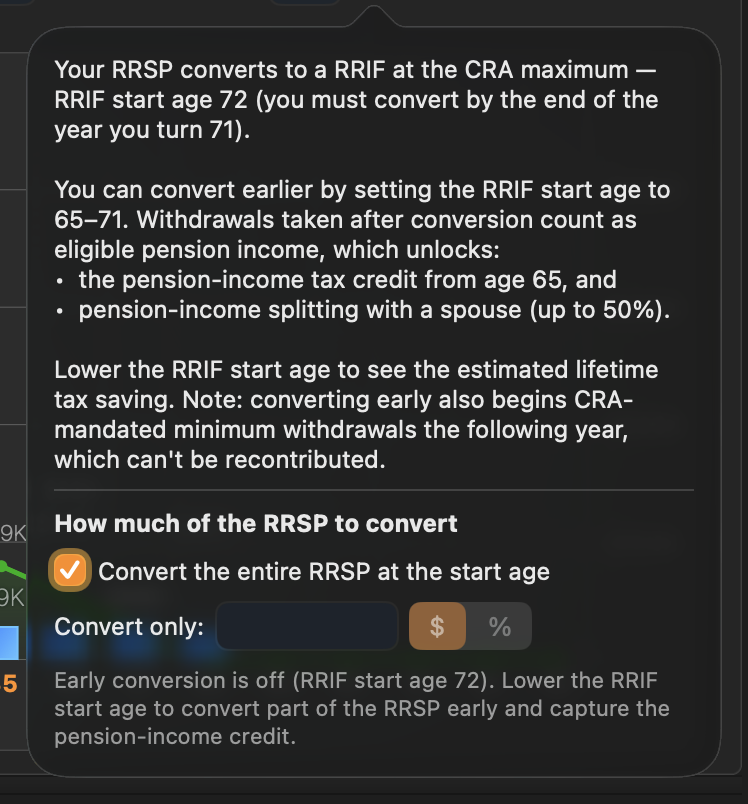
- Leave Convert the entire RRSP at the start age ticked to convert everything.
- Or choose Convert only and enter an amount or a percentage. Only that part becomes a RRIF early; the rest stays an RRSP until 71. Converting just enough to produce $2,000 a year captures the tax credit with the smallest required withdrawals.
Converting early starts the required minimums early too, and withdrawals can’t be put back.
Tax on withdrawals
RRSP and RRIF withdrawals are fully taxable in the year they are made. Large withdrawals can push income into a higher bracket or into the OAS clawback; look at the Taxable vs. Non-Taxable chart to spot those years.