 Retirement Planner Guide
Household mode
Household mode combines a couple’s two projections into one: their incomes, taxes, budgets and net worth together. It also finds, year by year, the pension split between the spouses that pays the least tax, and models what happens when the first spouse dies.
Before you start
- Both people are clients, linked as spouses, and both have a birthdate. See Spouses and partners.
- The strategy you are looking at has a Linked spouse strategy.
The Household checkbox appears next to the chart types once both are true.
Turn on household mode
- Select one spouse and their strategy — here, Graham Fraser’s baseline, linked to Linda’s.
- Tick Household.
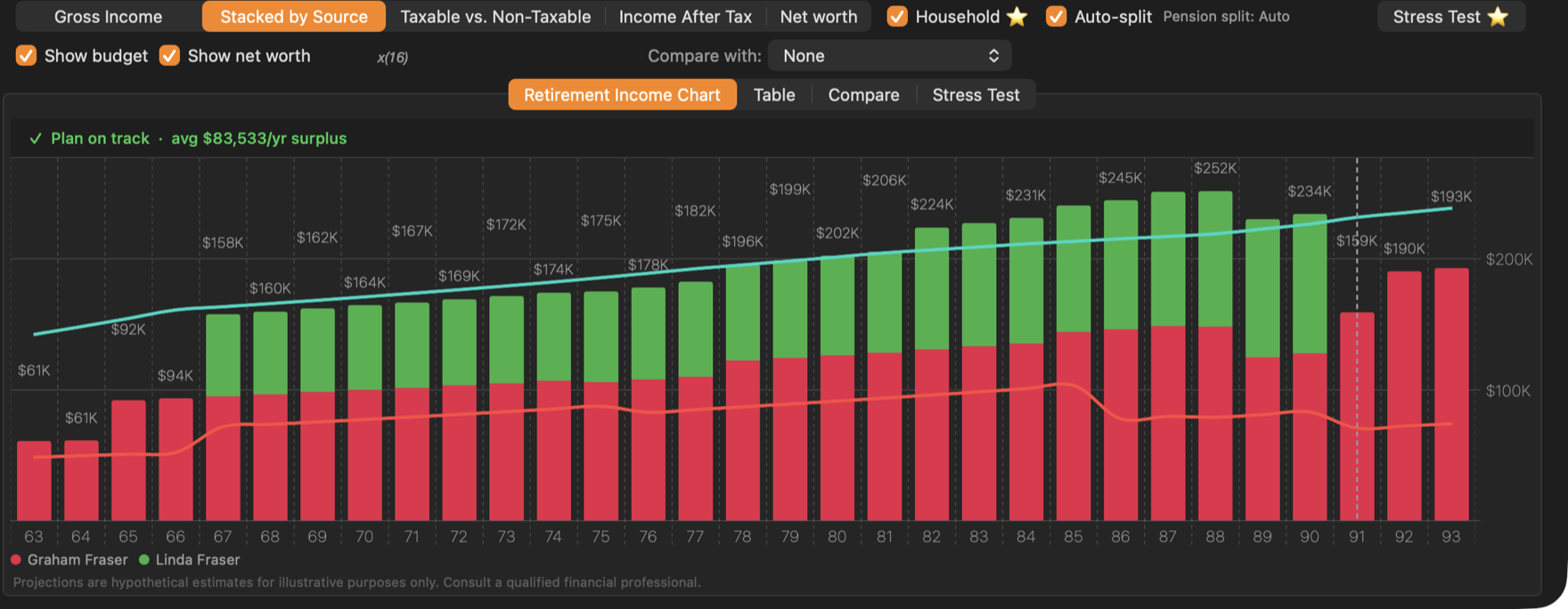
- 1Household. Combine the two spouses.
- 2Auto-split. Find the best pension split every year.
- The age axis follows the spouse you selected.
- Stacked by Source shows one colour per spouse; the other chart types show the couple’s totals.
- The budget line adds the second spouse’s budget from their own start age.
- A dashed line marks the first year of survivor benefits: the year after the first spouse reaches their planning age. Linda reaches 88 when Graham is 90, so the line is at Graham’s 91.
- The chart runs to the end of whichever plan lasts longer. If the client you selected is the first to die, the years after show the surviving spouse’s income.
- The plan status checks the couple’s income against both budgets.
Pension income splitting
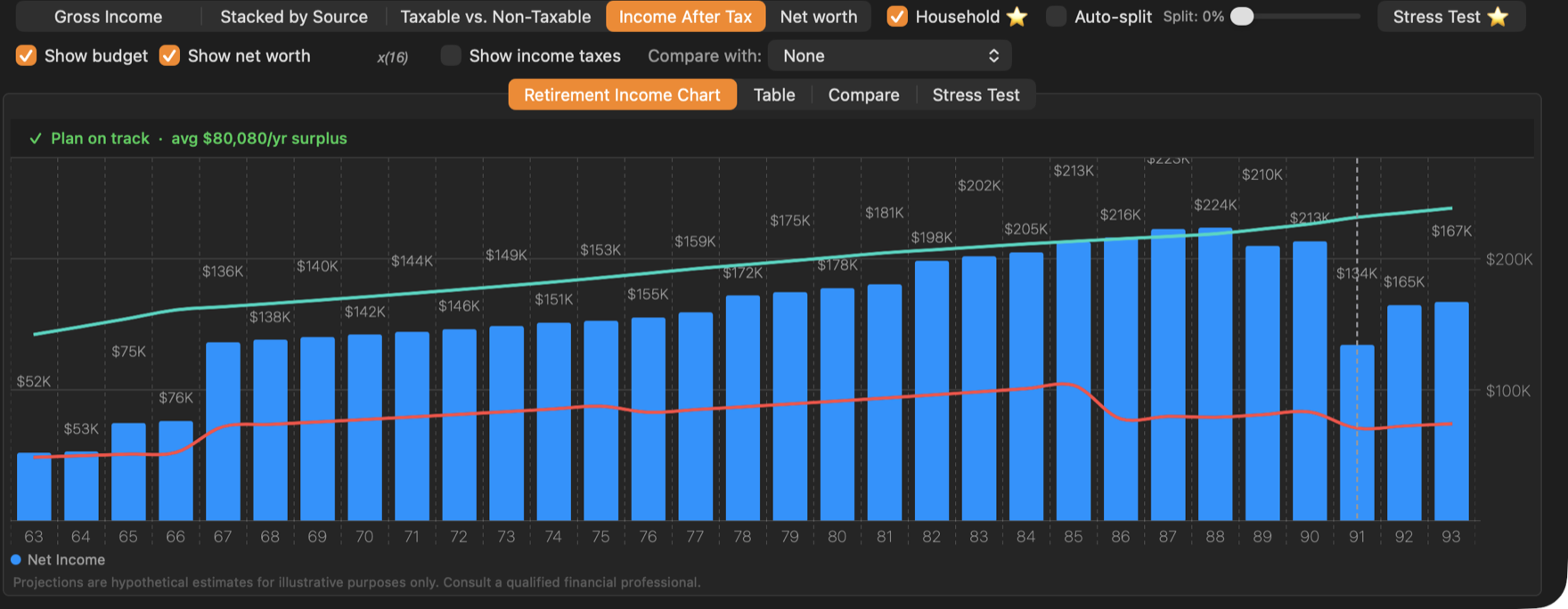
A couple can split up to half of eligible pension income — a workplace pension at any age, and RRIF withdrawals from 65 — onto the lower-income spouse’s return. With Auto-split ticked, the app tries every split from 0% to 50% for each year and keeps the one with the lowest combined tax, including the OAS clawback for each spouse.
Untick Auto-split to set one split for every year with the slider.
Converting part of an RRSP to a RRIF early makes more income eligible for splitting from 65. See Why convert early?
The household table
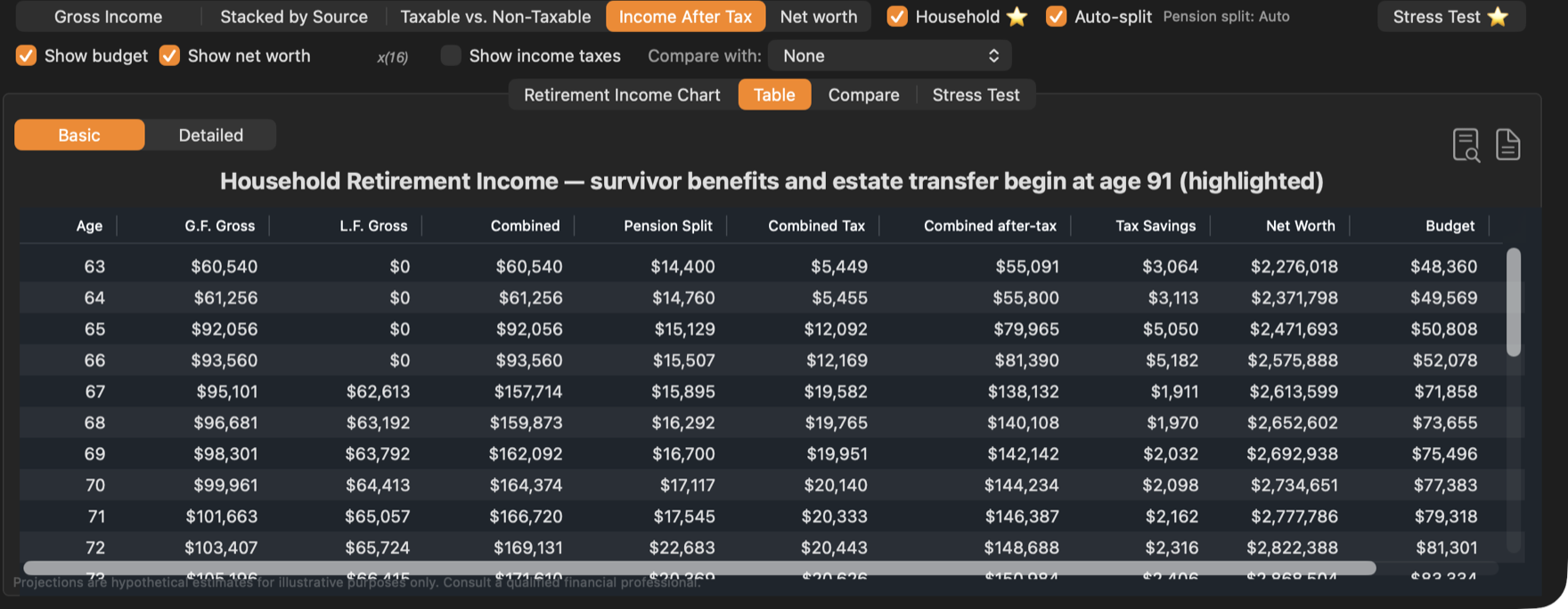
The Table tab shows both spouses:
| Column | Meaning |
|---|---|
| G.F. Gross, L.F. Gross | Each spouse’s gross income (shown with their initials). |
| Combined | The two added together. |
| Pension Split | The pension income moved to the other spouse’s return. |
| Combined Tax | Both spouses’ tax, after the split. |
| Combined after-tax | What the household has to spend. |
| Tax Savings | Tax saved by the split. |
| Net Worth | The couple’s combined net worth. |
| Budget, Bgt Diff | The combined budget and the surplus or shortfall. |
The row for the year survivor benefits begin is highlighted.
Estate & Survivorship
When one spouse dies, what they own passes to the other — but how depends on the account and on choices made in a will. The Estate… button in the settings bar sets this for the selected client: what happens to their assets if they die first.
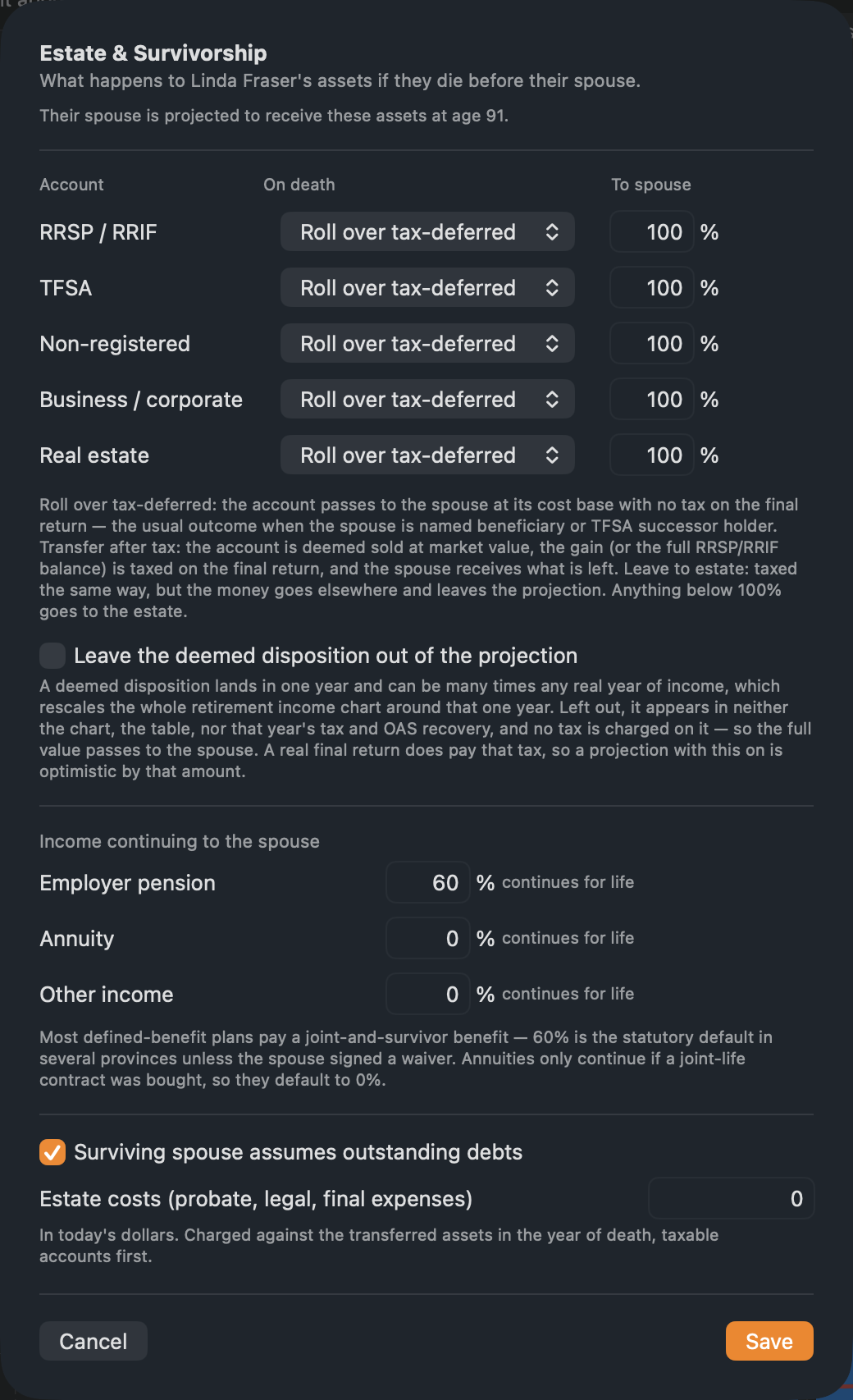
- On death, for each of RRSP / RRIF, TFSA, Non-registered, Business / corporate and Real estate:
- Roll over tax-deferred — passes to the spouse with no tax now. This is the default and the usual case when the spouse is the beneficiary.
- Transfer after tax — taxed on the final return; the spouse receives what is left.
- Leave to estate — taxed the same way, but goes to other heirs and leaves the projection.
- Leave the deemed disposition out of the projection — the tax due at death can be one very large figure in one year; tick this to keep it off the charts.
- Income continuing to the spouse — the share of the Employer pension (60% by default), Annuity and Other income the survivor keeps for life.
- Surviving spouse assumes outstanding debts and Estate costs (probate, legal, final expenses), in today’s dollars.
Click Save. The household projection is worked out again, with the survivor receiving the assets the year after the first death, plus the CPP survivor pension and GIS at the single rate.
The first spouse to die is the one whose planning age (Expected age) comes first in calendar years. If the selected client is expected to outlive their spouse, the sheet says so: set the estate choices on the spouse’s strategy instead.