 Retirement Planner Guide
Pensions and annuities
Workplace pensions, annuities and other regular income — rental income, a part-time job, a survivor pension — are entered once in the client’s profile and appear on the Pension tab of every strategy.
Enter pension income
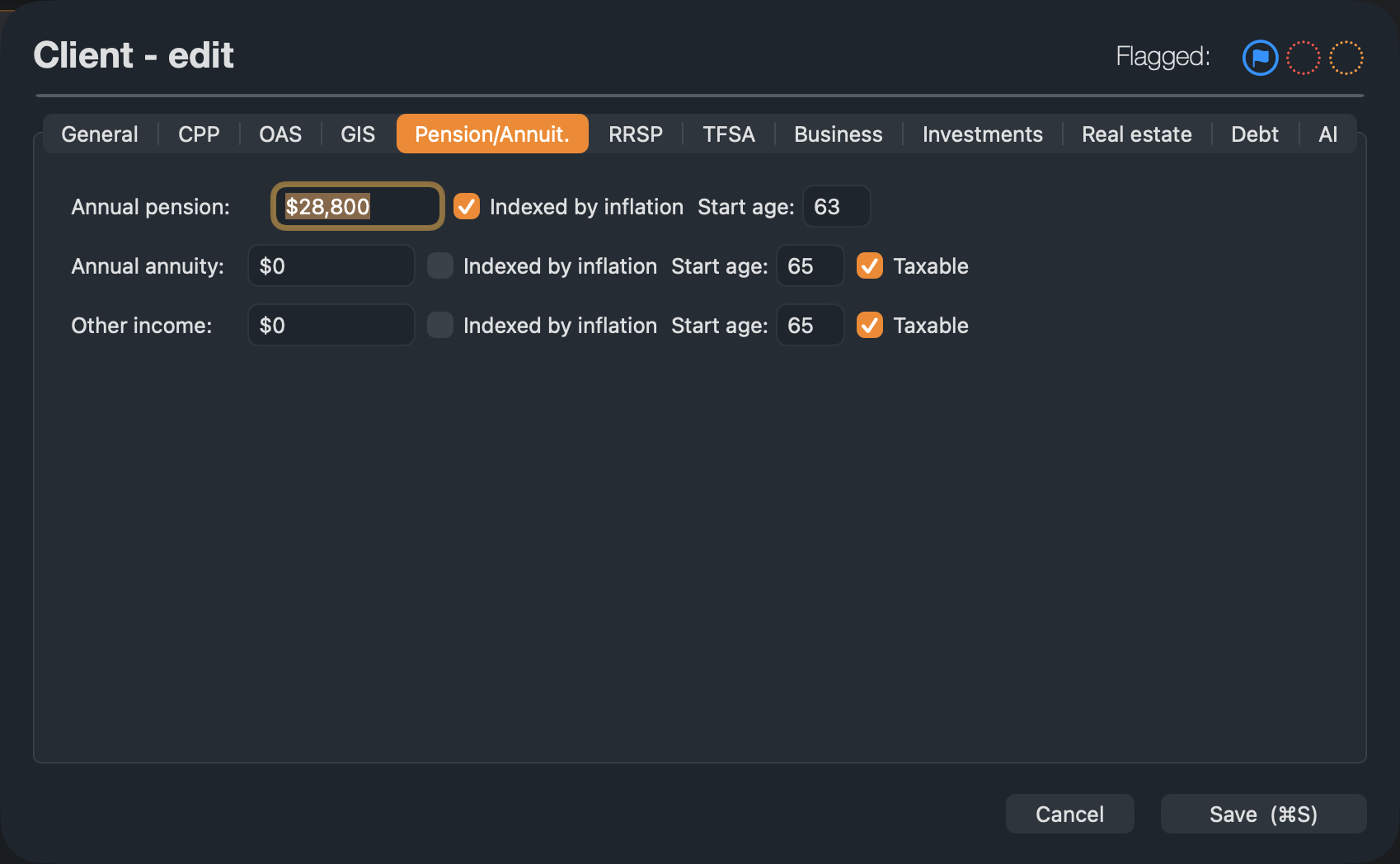
- Edit the client and open the Pension/Annuit. tab.
- Fill in the lines that apply:
- Annual pension — a workplace (defined-benefit) pension.
- Annual annuity — payments from an annuity you bought.
- Other income — any other regular income.
- For each, enter the yearly amount and the Start age. Tick Indexed by inflation if the payments rise each year, and Taxable for annuity or other income that is taxed.
- Click Save (⌘S).
- Each income is paid from its start age to the planning age.
- The amount you enter is the yearly amount when payments start. With Indexed by inflation, it grows each year after that at the strategy’s inflation rate.
- A workplace pension is always taxable, and it counts as eligible pension income for the pension tax credit and for pension splitting.
- An annuity or other income left unticked under Taxable is treated as tax-free.
The Pension tab
The tab shows the three incomes together. Annual and Cumulative switch between yearly amounts and running totals; Total and Stacked show one bar per year or split it into pension, annuity and other.
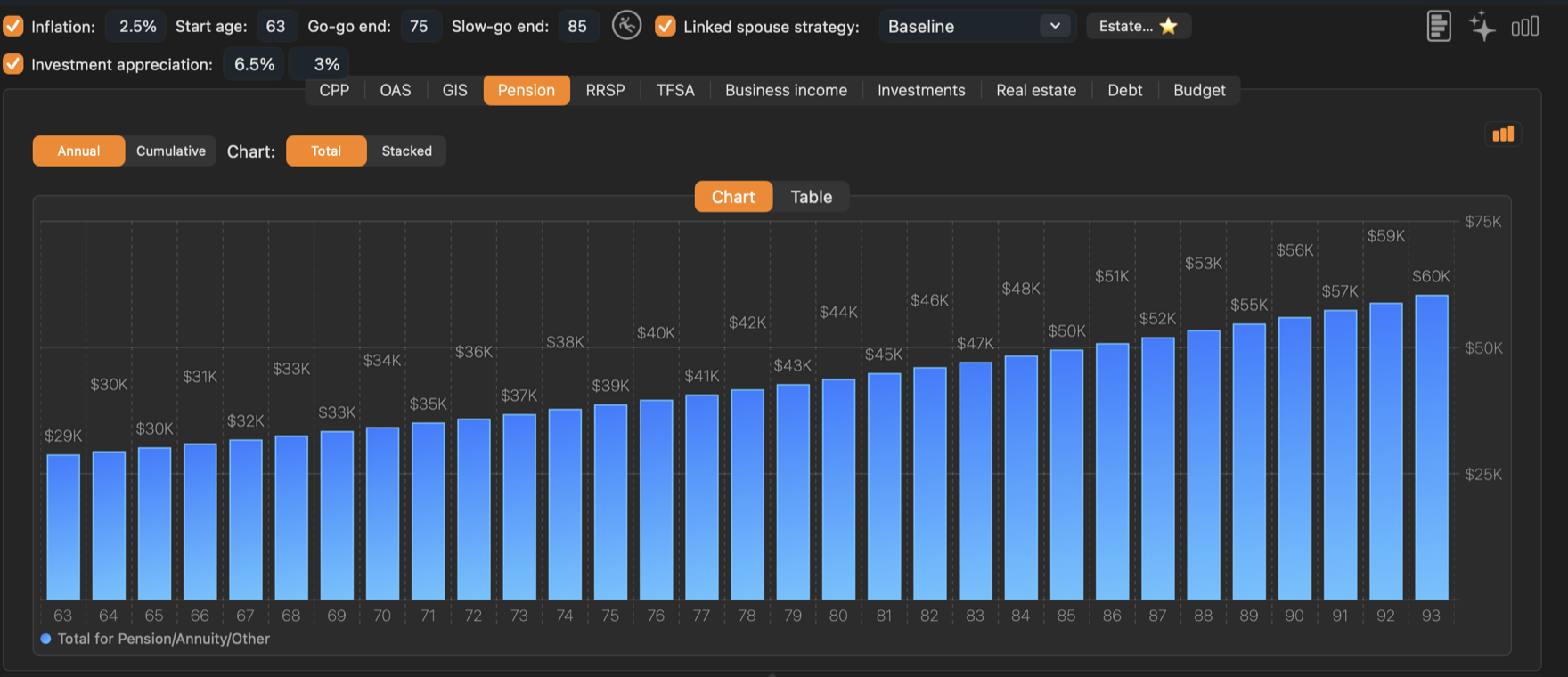
The Table tab lists Pension, Annuities, Other and Cumulative for each age.
If the pensioner dies first
Most workplace pensions continue a share to the surviving spouse. For couples, set that share — 60% unless you change it — under Income continuing to the spouse in the strategy’s Estate… settings. See Estate & Survivorship.