 Retirement Planner Guide
Clients and profiles
A client is a person you plan for — yourself, a family member or someone you advise. The client’s profile holds the facts every strategy shares: birthdate, province, savings, pensions, property and debts.
The client list
The list on the left shows each client as an initial and last name (G Fraser), with the first line of their notes underneath. Select a client to load their strategies.
- Search — type in the Search field to show only clients whose name contains the text.
- Flag filters — the four circles under the heading show only clients flagged blue, red or orange, or only those with no flag. Click the same circle again to show everyone. The app remembers your choice.
- Sort — the button at the right of the circles switches between Z to A and A to Z by name.
Add a client
- Click the + button under the client list.
- On the General tab, enter at least the Name, Birthdate, Province and Expected age.
- Work through the other tabs and fill in what applies. Tabs you leave empty count as zero.
- Click Save (⌘S).
A new client gets one strategy, named (default), which you can rename. See Strategies.
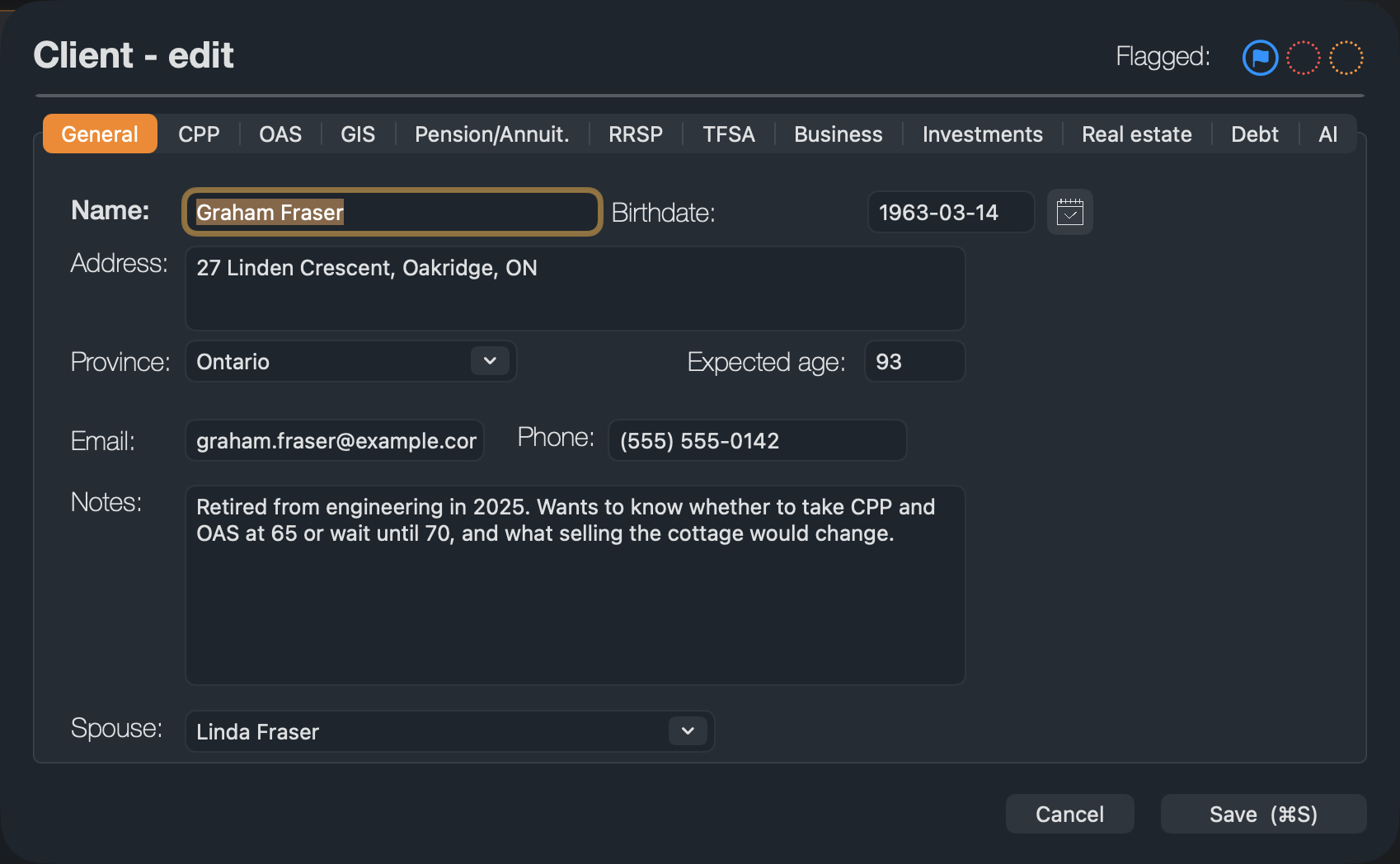
- 1Tabs. One tab for each part of the profile, described below.
- 2Flag. Mark the client blue, red or orange to find them with the flag filters.
A new client starts in Ontario, with 40 years in Canada on the OAS tab (a full OAS pension). Change both if they differ: the province decides the provincial tax, and fewer years mean a smaller OAS.
The profile, tab by tab
| Tab | What to enter |
|---|---|
| General | Name, Address, Province, Birthdate, Email, Phone, Notes, Expected age (the planning age) and Spouse. |
| CPP | How the CPP or QPP pension is estimated: a simple estimate from the age contributions started, or the year-by-year contribution record. See CPP. |
| OAS | Total number of years spent in Canada before age 65. See OAS. |
| GIS | Marital status: Single, Married/Common Law, Widowed or Divorced. The Spouse annual income and Spouse is receiving OAS fields are not used in the projection: a spouse’s income comes from their own client and strategy. See Spouses and partners. |
| Pension/Annuit. | Workplace pension, annuity and other regular income, each with a start age. See Pensions and annuities. |
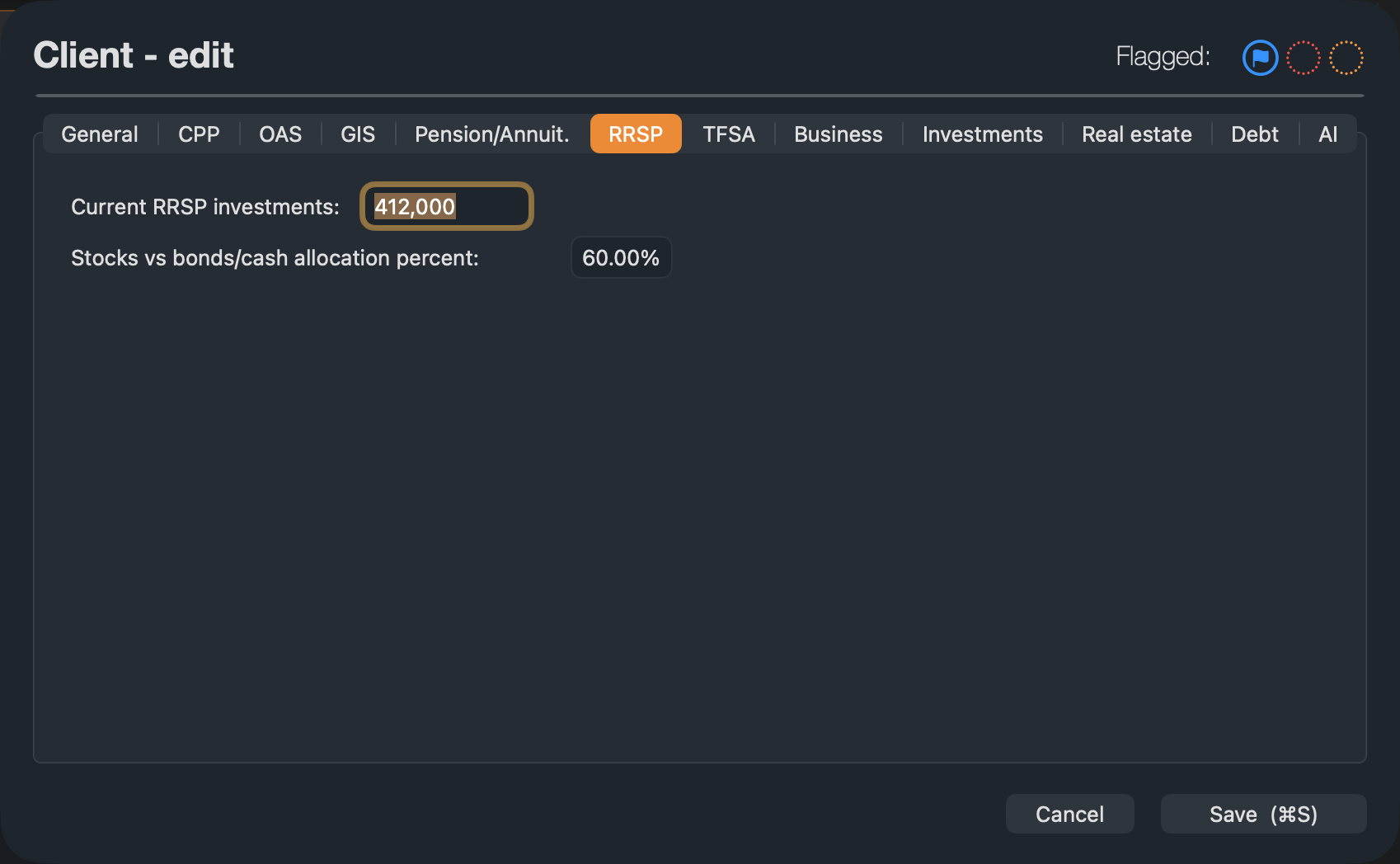
| RRSP, TFSA | Today’s balance and the share held in stocks. |
| Business | Investments held in your own company, with their adjusted cost base. See Business income. |
| Investments | Non-registered investments, with their adjusted cost base. See Investments. |
| Real estate | Each property: value, mortgage, rate and monthly payment. See Real estate. |
| Debt | Loans and lines of credit. See Debt. |
| AI | The instructions sent with this client to the AI withdrawal strategy. See AI withdrawal strategy. |
Stocks versus bonds
The Stocks vs bonds/cash allocation percent on the RRSP, TFSA, Business and Investments tabs sets how each account grows. At 60%, the account earns 60% of the stock rate and 40% of the bond rate set in the strategy’s settings bar. See Investment returns.
In the tables on the CPP, Real estate and Debt tabs, type plain numbers — 210000, not $210,000. A value with a dollar sign or commas is not accepted, and the old value stays.
Edit, duplicate or delete a client
- Edit: double-click the client, or select it and click the edit button (the pencil) under the list.
- Duplicate: right-click the client and choose Duplicate client. The copy is named after the original with “(Copy)” added, has copies of all the strategies, and is not linked to a spouse.
- Delete: select one or more clients and click the trash button, or press Delete, then confirm. Deleting a client deletes all its strategies. Choose Edit ▸ Undo (⌘Z) straight away if you change your mind.

How many clients
A Pro plan holds up to two clients — for example you and your spouse. Advisor has no limit. When you try to add a third client on Pro, the app offers the upgrade.
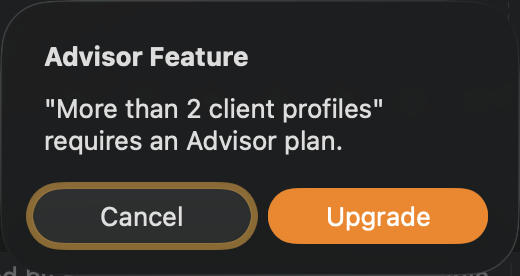
Client limits: Pro 2 clients, Advisor unlimited. If you move to a plan with a lower limit, nothing is deleted; you just can’t add more. See Plans and purchases.