 Retirement Planner Guide
Client report (PDF)
The client report turns a strategy into a printable PDF: a cover page with the plan at a glance, the assumptions, a page for each income source, the year-by-year projection, the budget and the stress test. Use it for meetings, or to keep a record of a plan.
Create a report
- Select the client and strategy. Turn on household mode first if the report should cover the couple. See Household mode.
- Click the report button — the first of the three buttons at the right of the settings bar.
- Choose the sections to include, and whether each income source gets a chart.
- Click Generate.
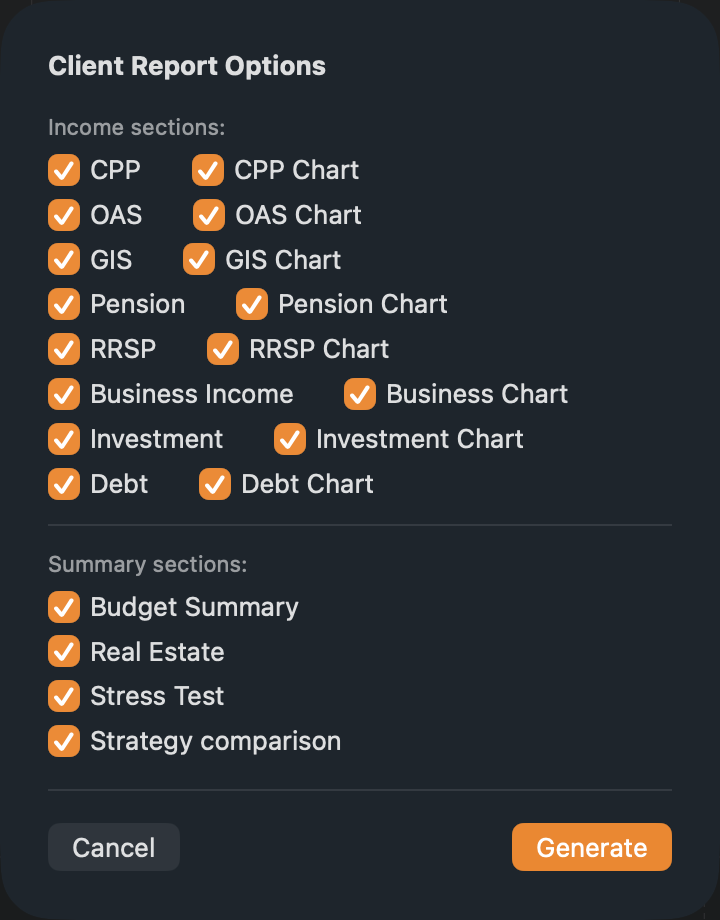
The report opens in Preview. Use File ▸ Save or File ▸ Export as PDF to keep it, or File ▸ Share to send it.
What the report contains
| Section | Contents |
|---|---|
| Cover | Client, strategy, province, retirement and planning ages; Plan at a glance — starting savings, peak net worth, net worth at the planning age and budget coverage; the net worth trajectory and the retirement phases. |
| Profile & Assumptions | Personal details, account balances, inflation and return assumptions, benefit start ages and phases. In household mode, the spouse too. |
| Income sources | A page with a table, and a chart if chosen, for CPP, OAS, GIS, pensions, RRSP/RRIF, business, investments and debt — whichever the plan uses. |
| Income Projections | Every year’s income by source, tax, income after tax and net worth. |
| Budget & Coverage | Spending by category, the budget items, and each year’s income after tax against the budget. Chosen as Budget Summary; included when the strategy has a budget. |
| Real Estate & Net Worth | The properties and net worth in five-year steps. Chosen as Real Estate; included when the strategy has properties. |
| Strategy comparison | The comparison on the Compare tab: the scorecard, after-tax income by year and the settings that differ. Offered once the Compare tab has been opened for the client. See Comparing strategies. |
| Stress Test | The latest stress test results, if one has been run. |
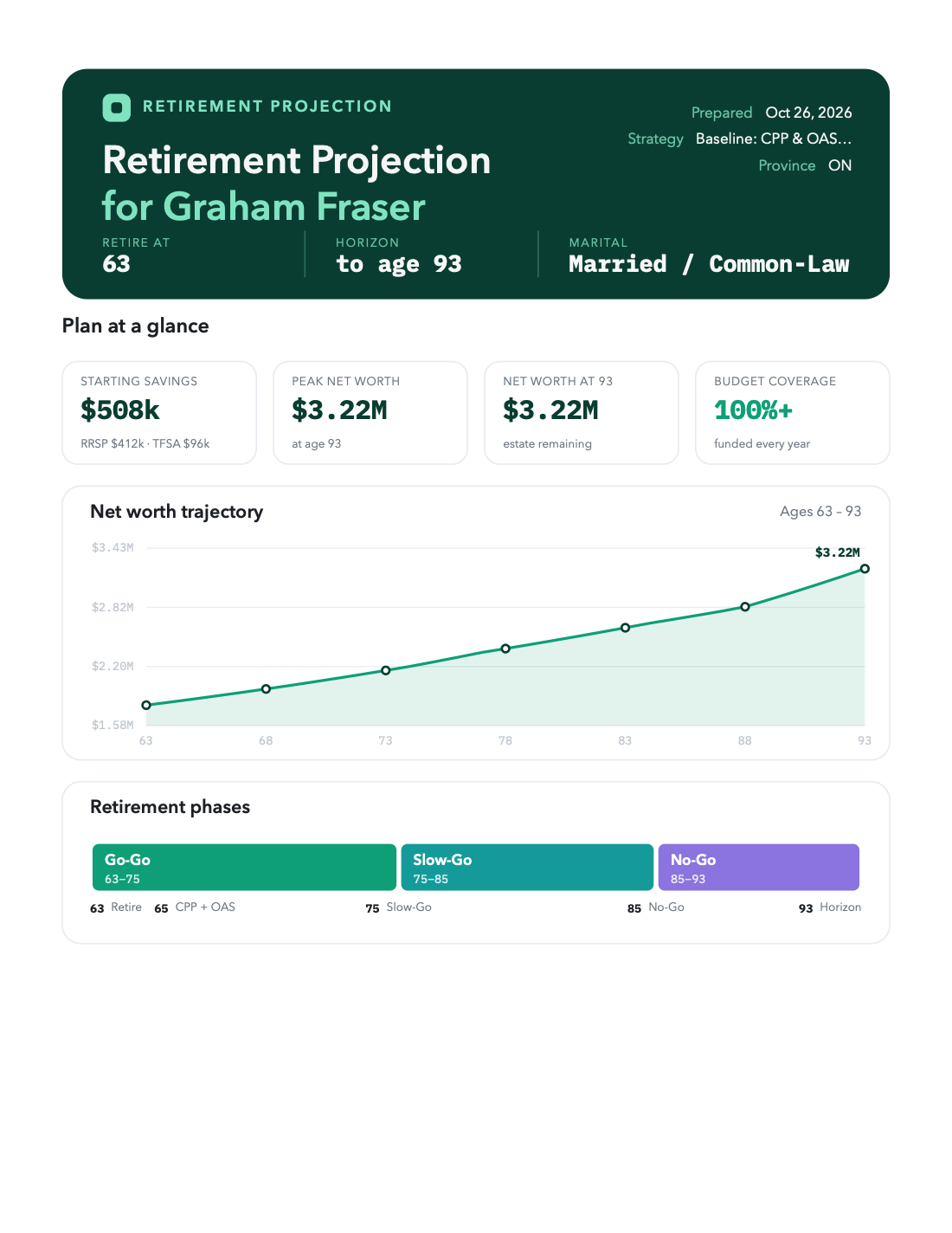
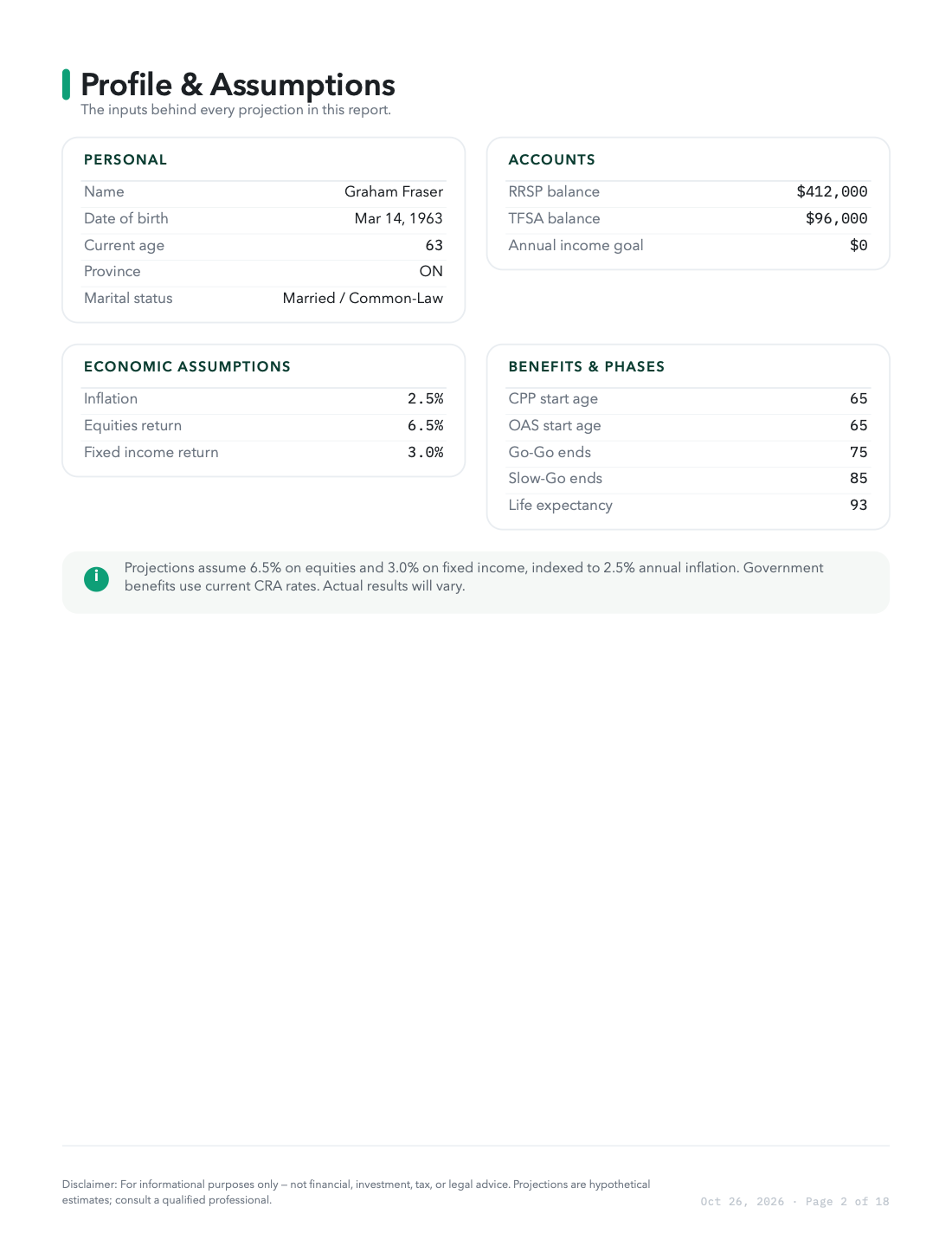
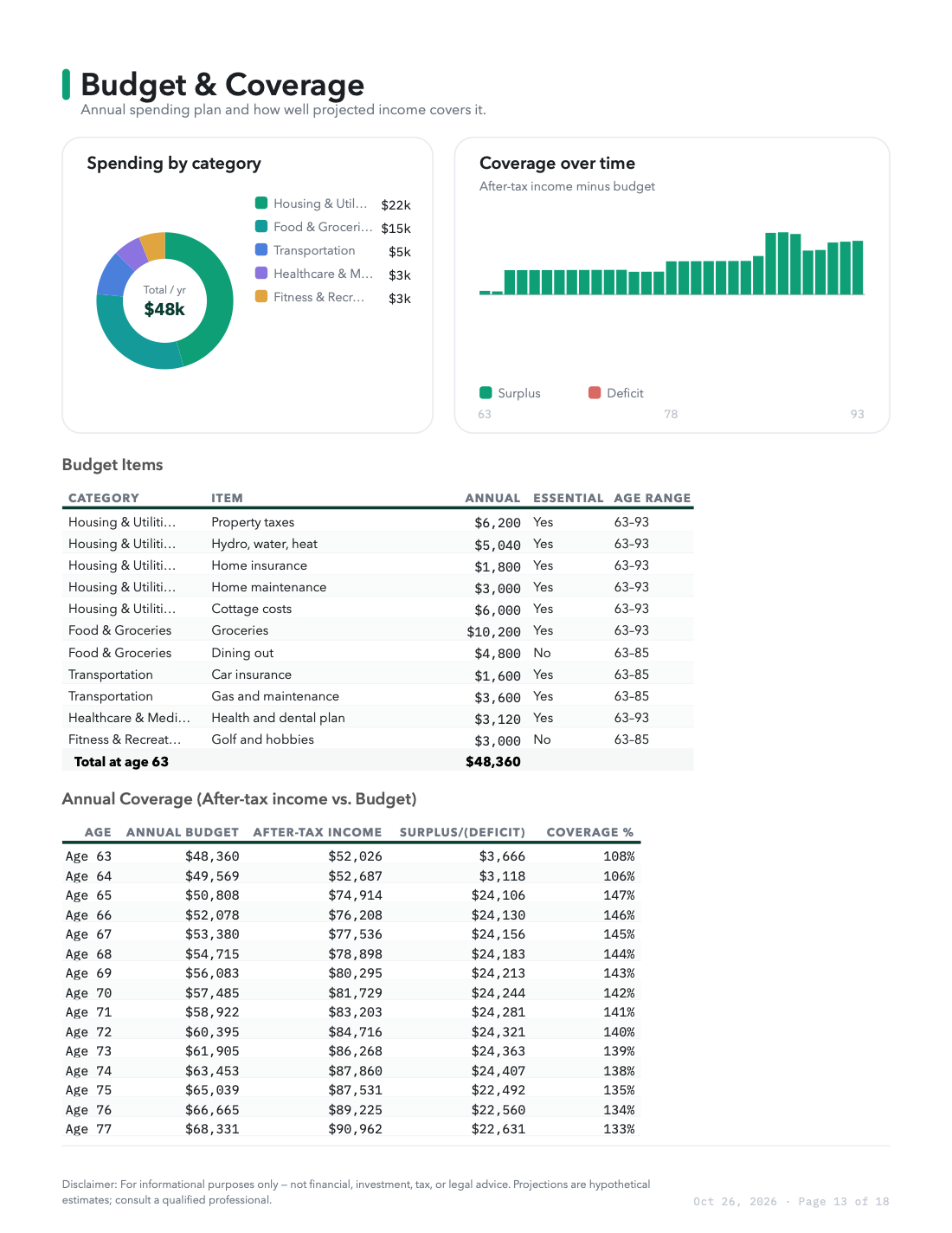
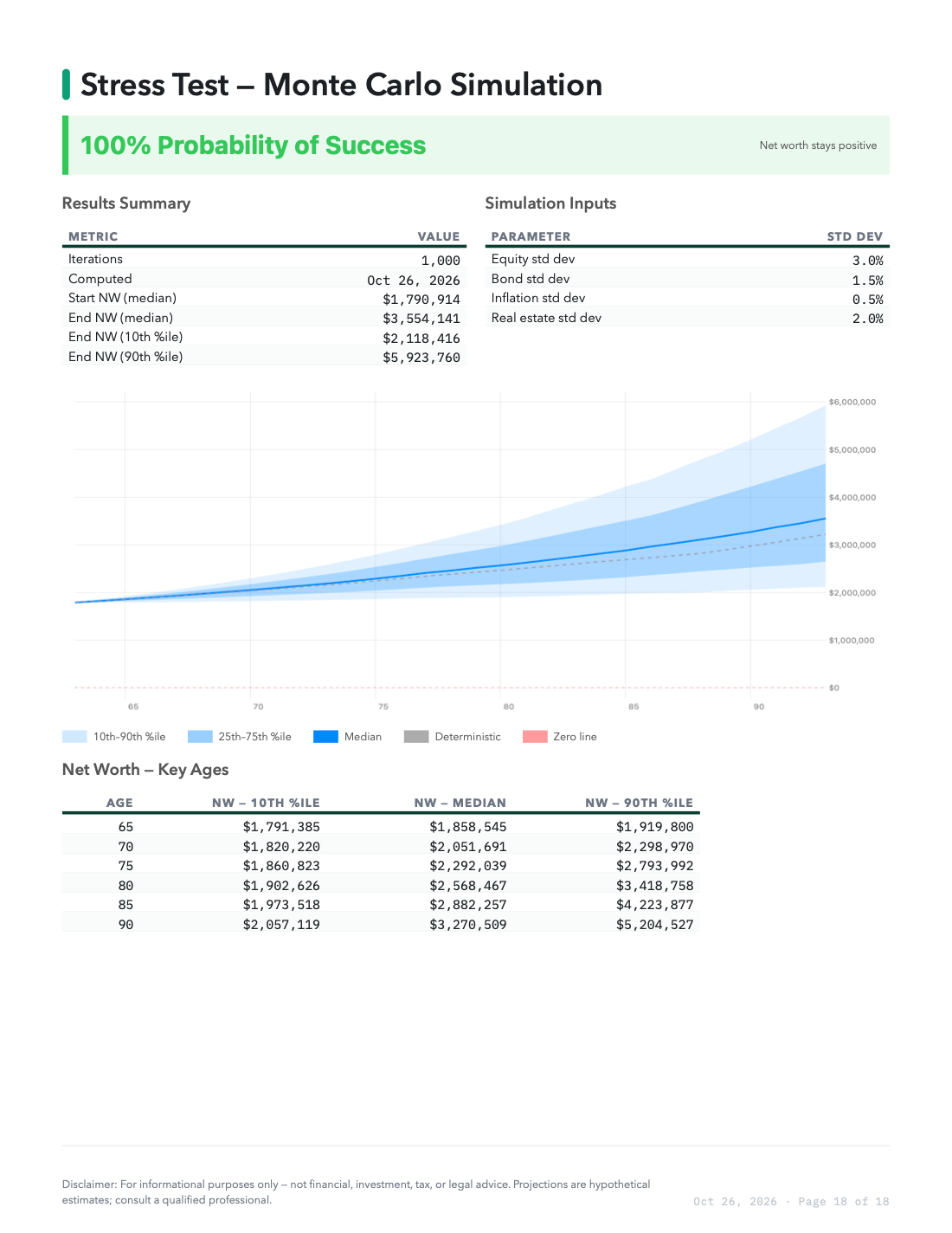
Every page after the cover has a page number and a short disclaimer.
Run the stress test again before creating a report, so its page matches the current strategy.