 Retirement Planner Guide
Stress test
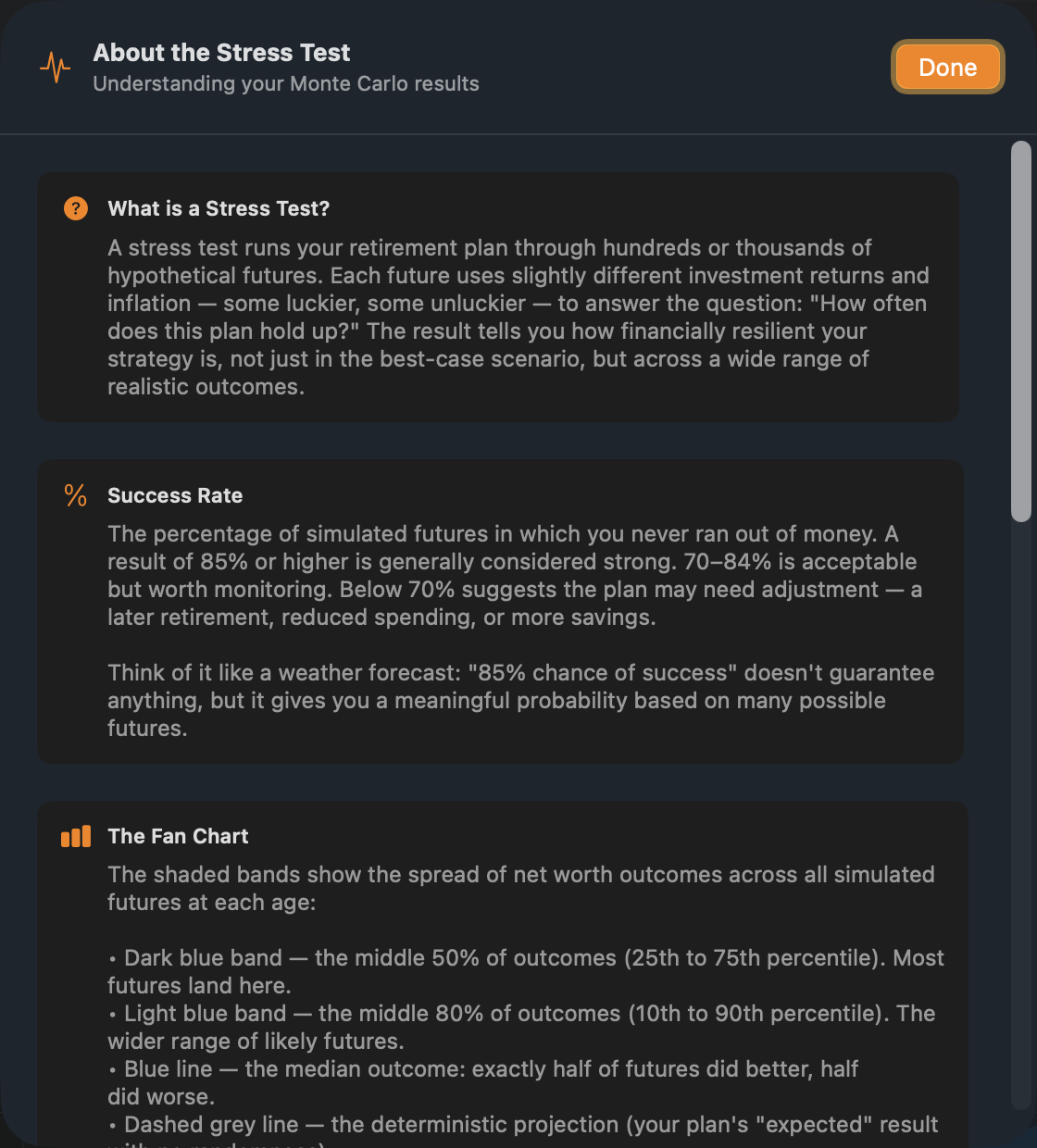
A projection assumes the same return and inflation every year. Real markets don’t behave that way. The stress test runs the plan through hundreds or thousands of possible futures and reports how often it holds up.
Run a stress test
- Select the client and strategy.
- Click Stress Test at the top right of the chart area.
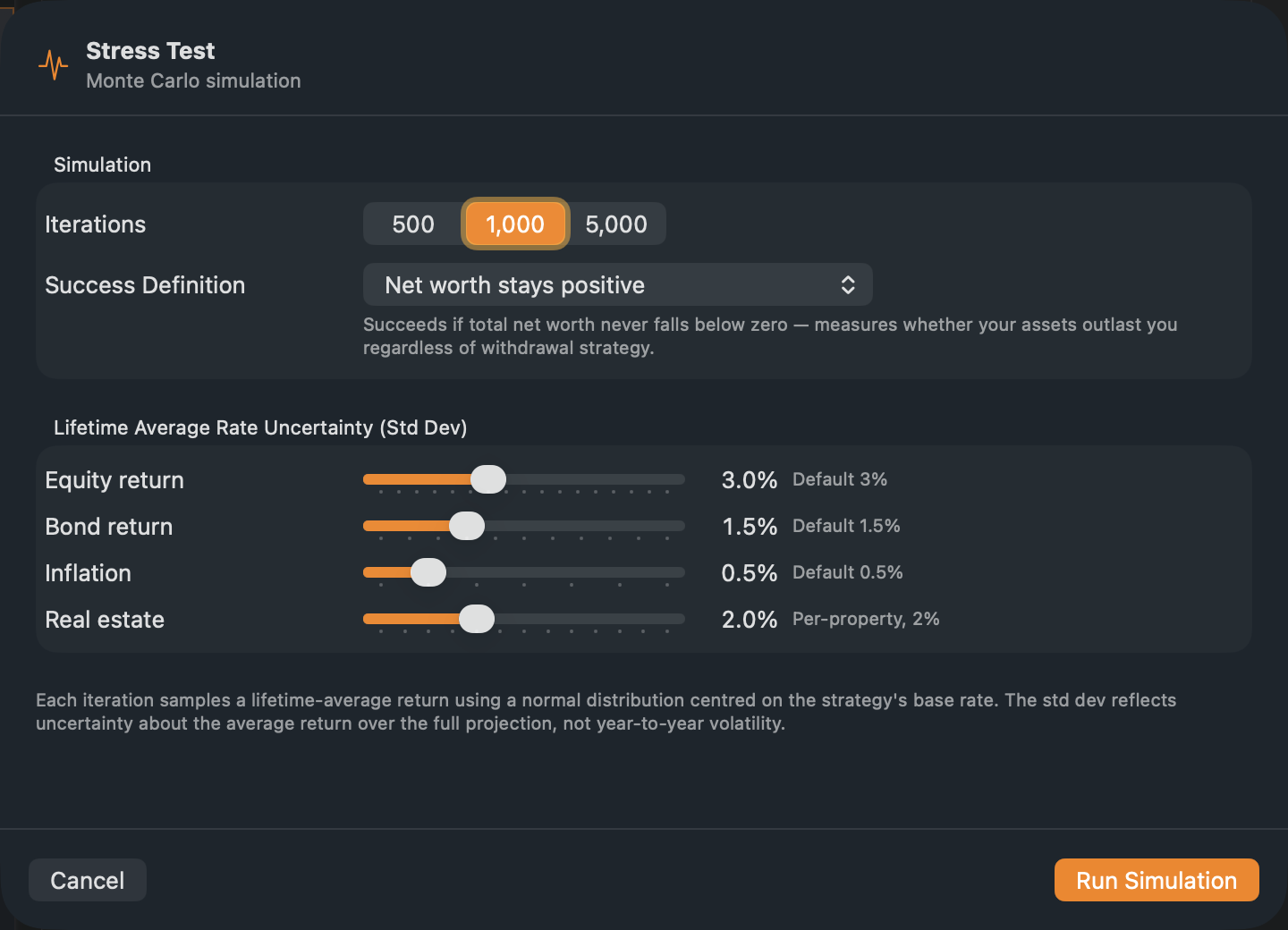
- Choose the number of Iterations and a Success Definition, and adjust the uncertainty if you like.
- Click Run Simulation.
A progress bar shows while it runs; a thousand futures take a few seconds. When it is done, the Stress Test tab opens with the results, and the success rate appears next to the button: green with ✓ at 85% or more, orange with ⚠ from 70%, red with ✗ below that.
The settings
- Iterations — 500, 1,000 or 5,000 futures. More is steadier but slower.
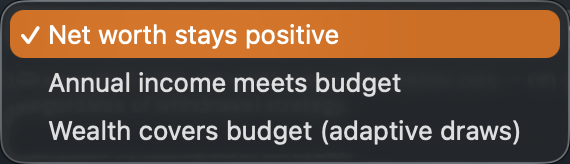
- Success Definition — what counts as a plan that holds up:
- Net worth stays positive — the money never runs out.
- Annual income meets budget — income after tax covers the budget in every retirement year. Strict: one short year fails the future.
- Wealth covers budget (adaptive draws) — withdrawals adjust each year to meet the budget, and the money never runs out.
- Uncertainty — how far the long-run averages can stray from the strategy’s rates, as a standard deviation: Equity return (3% by default), Bond return (1.5%), Inflation (0.5%) and Real estate (2%).
Each future draws its own lifetime-average returns and inflation around the strategy’s rates. It models a lucky or unlucky lifetime of returns, rather than year-to-year swings.
Read the results
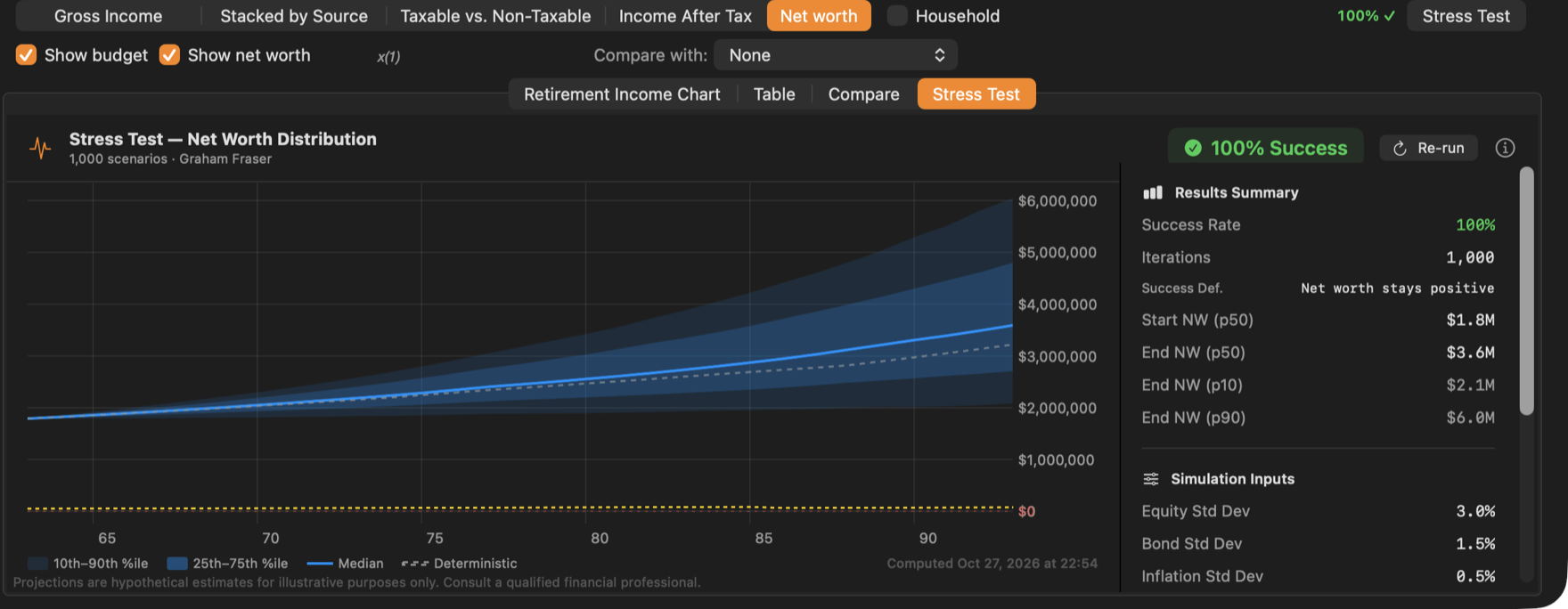
- The fan chart shows net worth across all futures: the dark band holds the middle half of outcomes, the light band the middle 80%. The solid line is the median and the dashed line the plan’s own projection.
- Results Summary gives the success rate, the starting and ending net worth (median, and the 10th and 90th percentiles) and, if money runs out, the median age it does.
- Years That Frequently Miss Budget lists the ages that fail most often.
- Key Ages shows net worth every five years.
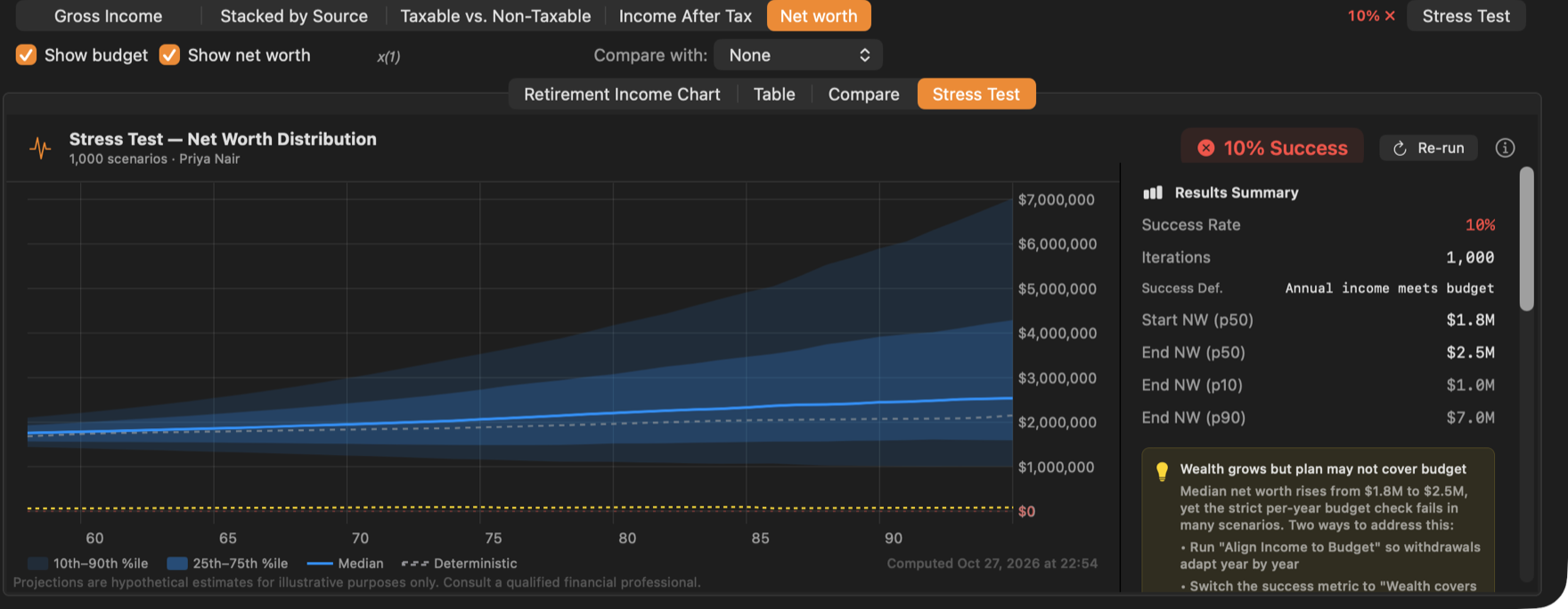
Priya’s result shows why the success definition matters: under Annual income meets budget, a few short years before her CPP and OAS start fail most futures. The hint suggests aligning withdrawals to the budget, or switching to the adaptive definition.
Click ⓘ for an explanation of every part of the results.
Run it again
Results are saved with the strategy and appear in its client report. They are not updated automatically: after changing the strategy, click Re-run on the Stress Test tab, or the Stress Test button, to bring them up to date.
To run it on several strategies at once with the same settings, use Stress test all on the Compare tab. See Comparing strategies.
The stress test looks at one client at a time, even in household mode.